
Table of Contents
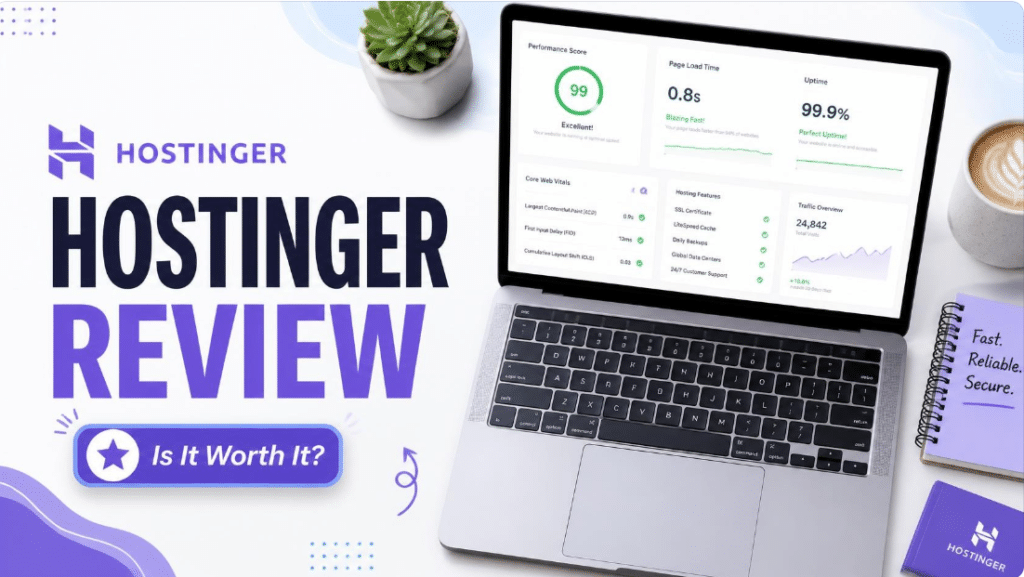
This Hostinger review, written from a hosting-industry perspective, answers one question: is Hostinger actually good web hosting, or is it just cheap web hosting with a great marketing budget? I have looked at how Hostinger’s plans, performance stack, control panel and support hold up for people launching a first website, and where the trade-offs show up once a site starts to grow.
Short answer: for beginners, bloggers, freelancers and small business owners who want fast, affordable WordPress hosting, Hostinger is one of the strongest options on the market. It is not perfect, though. Renewal prices rise, and some features are reserved for higher plans. Below, I break down everything you need to know before you pay.
Hostinger Review at a Glance: Quick Verdict and Who Hostinger Is Best For
If you only have a minute, here is the summary. Hostinger is a budget-friendly host that punches above its price in speed and ease of use. Its biggest strengths are low entry pricing, a clean in-house control panel (hPanel), modern server technology and a 30-day money-back guarantee. Its biggest weaknesses are higher renewal rates and weekly-only backups on the cheapest plan.
Hostinger Pros and Cons: What You Gain and What You Give Up
- Very low starting price. Entry plans are among the cheapest from a mainstream host when you commit to a long term.
- Beginner-friendly control panel. hPanel is simpler than cPanel for first-time site owners.
- Solid speed stack. LiteSpeed-based servers, NVMe storage and built-in caching are a strong foundation for WordPress.
- Free domain and SSL. Premium and Business plans typically include a free domain for the first year on longer terms.
- Renewal price increase. Promotional prices apply to the first term only, so budget for the renewal.
- Backup limits on the entry plan. Daily backups are tied to higher plans, which matters if you run a store or publish daily.
Who Should Use Hostinger, and Who Should Look Elsewhere
Hostinger fits new bloggers, affiliate site builders, freelancers, local business websites and small WooCommerce stores that want strong value. If you need dedicated enterprise support, complex compliance requirements or a fully managed hosting experience with white-glove migration for a very large site, a premium managed host will serve you better.
Hostinger Pricing and Plans: How Much Does Hostinger Really Cost?
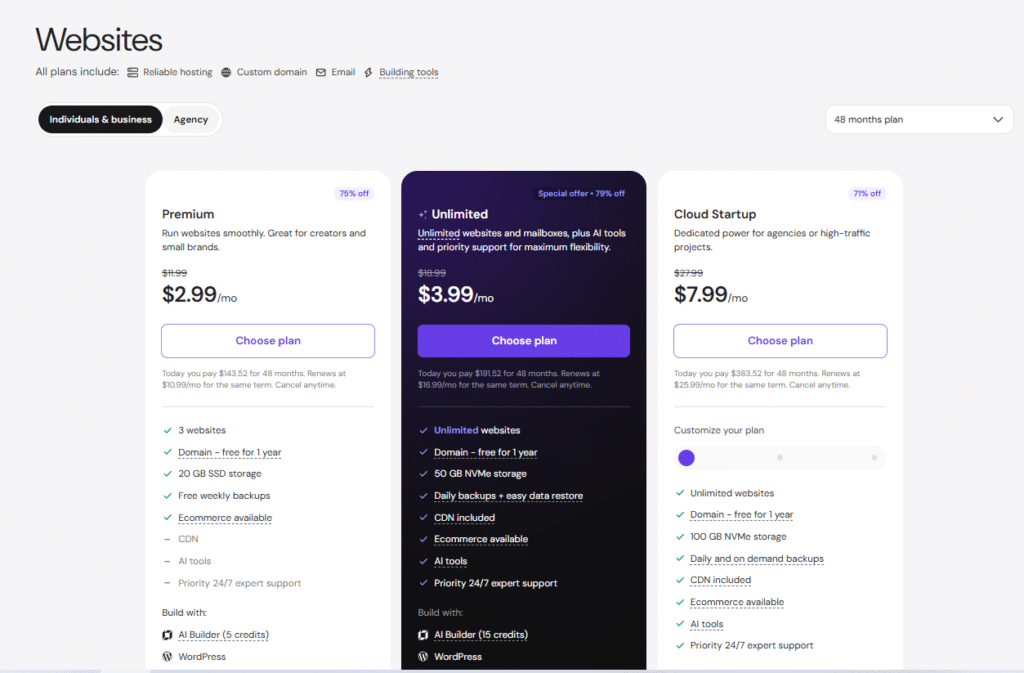
Pricing is the main reason people shortlist Hostinger, so it deserves a careful look. Hostinger’s shared hosting plans advertise very low monthly rates, but those rates depend on how long you commit. Prices also change often because of seasonal promotions, so always confirm the live figures on Hostinger’s official pricing page before buying.
Hostinger Premium vs Business vs Cloud Startup: Which Plan Should You Choose?
- Premium: Best for a single, low-traffic site such as a new blog or portfolio. It covers the basics well.
- Business: The sweet spot for most people. It adds daily backups and more resources, and it suits small business sites and growing blogs.
- Cloud Startup: Built for higher traffic and heavier sites, with more dedicated-style resources. Choose it when your site is busy or you run an online store.
My practical advice: if you are launching one site on a tight budget, start with Premium. If you plan to publish consistently, run client work or sell products, Business is usually the better long-term value because of the daily backups.
Hostinger Renewal Prices: The Hidden Cost Most Reviews Skip
Like most budget hosts, Hostinger discounts the first billing term and then charges a higher regular price on renewal. This is normal across the industry, but it can surprise new buyers. The best way to manage it is to pick the longest term you are comfortable with, because you lock in the promotional rate for longer, and to set a calendar reminder before renewal to review your options.
Additionally, keep an eye out for applicable taxes (like VAT) at checkout and remember that free domains included in longer plans will auto-renew at regular rates after the first year, so make sure to manage your domain settings if you don’t intend to keep it active.
Hostinger Money-Back Guarantee and Refund Policy
Hostinger offers a 30-day money-back guarantee on its hosting plans, which gives you a real window to test speed, support and the dashboard. Domain registrations and some add-ons are typically excluded, so read the refund terms before checkout.
Hostinger Speed and Performance: Is It Fast Enough for WordPress Sites?
Speed affects both user experience and SEO, so this is where a hosting review should earn its keep. Hostinger’s approach is to build performance into the platform instead of charging extra for it.
LiteSpeed, NVMe Storage and Caching: Why Hostinger Feels Fast
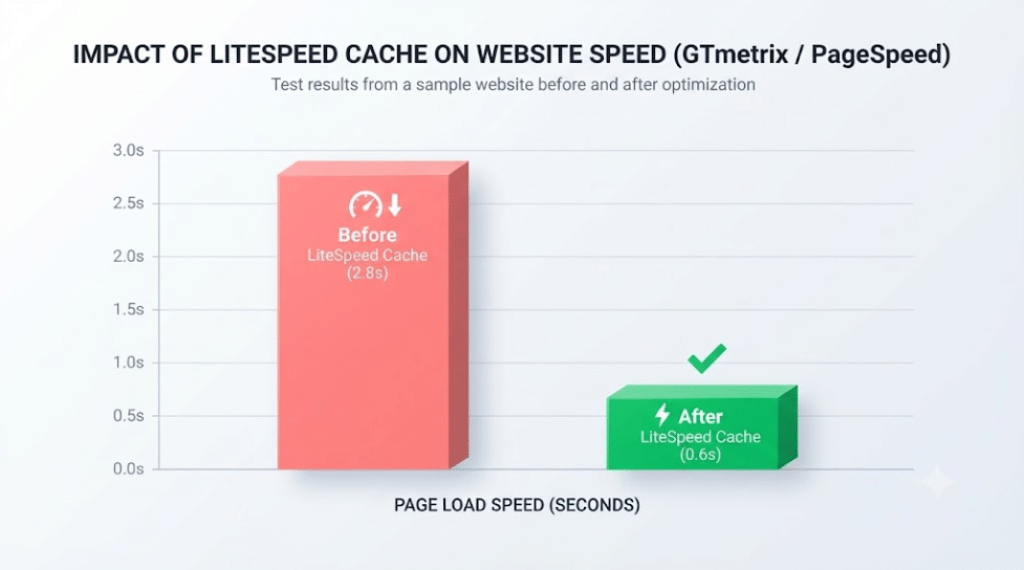
Hostinger runs LiteSpeed web servers with built-in caching and uses NVMe SSD storage on its plans. For WordPress, the LiteSpeed Cache plugin integrates with the server, which usually delivers faster page loads than a default Apache setup. You also get a CDN option and data centers across several regions, so you can choose a location close to your audience.
Hostinger Uptime and Reliability
Hostinger advertises a 99.9% uptime guarantee, and independent monitoring from third-party testers has generally shown uptime at or near that level. Treat any single test as a snapshot rather than a promise. If uptime is critical, add free monitoring such as UptimeRobot so you can measure it on your own site.
Hostinger Features: hPanel, Website Builder, Security and Backups
hPanel Control Panel: Is It Easier Than cPanel?
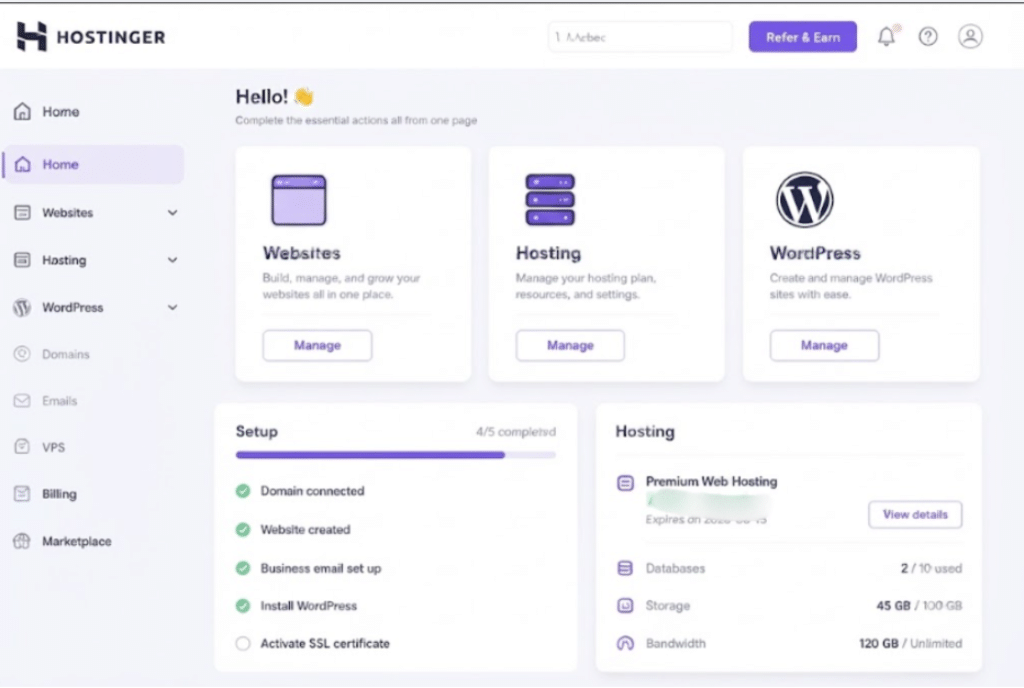
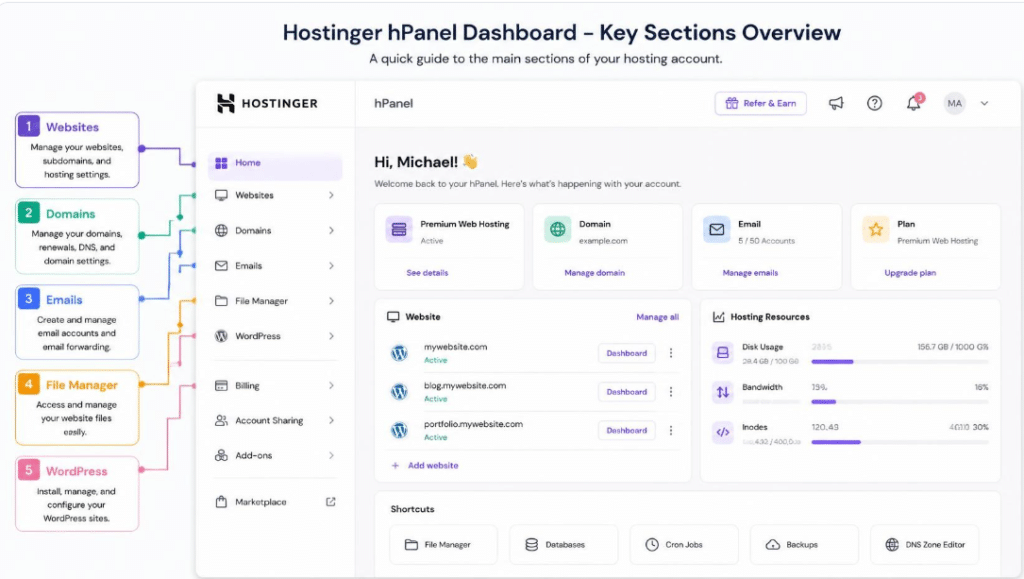
hPanel is Hostinger’s custom dashboard. It puts domains, email, WordPress installs, files and billing in one clean interface. For a beginner, the learning curve is gentler than cPanel, and one-click WordPress installation gets a site live in minutes. Experienced users may miss some cPanel conventions, but most everyday tasks are quicker here.
Security, SSL and Backups on Hostinger
Free SSL, DDoS protection and malware scanning are part of the offering, with stronger protections on higher tiers. Backups are where plans differ most: the entry plan uses weekly backups, while Business and above move to daily. If your site earns money, daily backups alone justify the upgrade.
Hostinger AI Website Builder and Beginner Tools
Hostinger also offers an AI-assisted website builder and WordPress tools for people who prefer not to code. These are convenient for simple brochure sites and landing pages, but if you expect to scale content or SEO, WordPress on a standard hosting plan gives you more flexibility.
Hostinger Customer Support: How Good Is the 24/7 Live Chat?
Support is available around the clock through live chat, and Hostinger’s AI-assisted first line handles common questions quickly before escalating to a human agent. In practice, support is strong for setup, domain and WordPress questions. For deep server-level troubleshooting you may need to be specific and patient, which is typical for budget hosts. A built-in knowledge base and video tutorials cover most beginner issues.
Hostinger vs Bluehost vs SiteGround: How Does Hostinger Compare?
Here is a simplified comparison of how Hostinger stacks up against two popular alternatives. Specific prices change, so use this as a directional guide.
| Feature | Hostinger | Bluehost | SiteGround |
| Starting price (promo) | Lowest of the three | Mid-range | Highest |
| Renewal price jump | Significant | Significant | Steep |
| Beginner-friendliness | Excellent (hPanel) | Excellent (WordPress-focused) | Good |
| Speed tech | LiteSpeed, NVMe | Standard stack | Google Cloud, custom caching |
| Best for | Budget-conscious beginners | WordPress-first users | Performance-focused sites |
In short, Hostinger wins on price and simplicity, Bluehost is a comfortable pick for WordPress-first users, and SiteGround is the premium option if you will pay more for performance and managed features.
Hostinger Review Verdict: Is Hostinger Worth It in 2026?
My Final Recommendation
Yes, Hostinger is worth it for most beginners, bloggers and small businesses. You get modern speed technology, an approachable dashboard and a risk-free 30-day window at a price few competitors match. Just go in with clear eyes: plan for renewal pricing, choose Business if you need daily backups, and test performance on your own site during the guarantee period.
If you are building a first website and want the best balance of cost, speed and ease of use, Hostinger deserves a place at the top of your shortlist.
Hostinger Review FAQs: Common Questions Before You Buy
Is Hostinger good for beginners?
Yes. hPanel, one-click WordPress installation and 24/7 live chat make Hostinger one of the easier hosts for first-time site owners.
Is Hostinger good for WordPress hosting?
Yes. LiteSpeed servers, NVMe storage and the LiteSpeed Cache integration provide a strong base for WordPress sites of small to medium size.
Does Hostinger offer a free domain?
Premium and Business plans typically include a free domain for the first year on qualifying terms. Check the current offer at checkout.
Does Hostinger raise prices when you renew?
Yes. Promotional prices apply to the initial term, and renewals are billed at the higher regular rate, so factor that into your budget.
Can I get a refund from Hostinger?
Hostinger provides a 30-day money-back guarantee on its hosting plans. Some items, such as domains, may be excluded.
Disclosure: This article may contain affiliate links. If you buy through them, we may earn a commission at no extra cost to you. Prices and features can change, so verify current details on Hostinger’s official website.
RECENT POST:
Castmagic Review 2026: Is It the Right AI Content Tool for Your Podcast?


