

Table of Contents
If you’ve spent any time researching email marketing tools for your blog, podcast, or online business, you’ve almost certainly landed on Kit — the platform formerly known as ConvertKit. This in-depth Kit review is built for one specific person: the creator who is tired of generic marketing suites and wants software designed around the actual mechanics of building an audience, nurturing subscribers, and eventually turning that list into revenue. Over the following sections, we’ll unpack what Kit does exceptionally well, where it genuinely falls short, and — critically — whether its 2026 pricing still makes sense for your stage of growth. This isn’t a marketing brochure; it’s an honest, hands-on assessment based on how the platform performs in real day-to-day use.
What Is Kit (Formerly ConvertKit)?
Kit is an email marketing and newsletter platform built specifically for creators — bloggers, authors, podcasters, musicians, and course sellers — rather than for generic e-commerce or corporate marketing teams. Founded in 2013 by Nathan Barry, the company rebranded from ConvertKit to Kit in October 2024, signaling a broader shift toward positioning itself as an all-in-one operating system for the creator economy rather than a narrow email tool.
Unlike general-purpose platforms such as Mailchimp, Kit is intentionally narrow in focus. Instead of trying to serve every type of business, it concentrates on a specific workflow: capture a subscriber through a landing page or embedded form, tag and segment them based on behavior, nurture them through visual automation sequences, and ultimately monetize the relationship through digital products, paid newsletters, or affiliate offers.
Key Features in This Kit Review
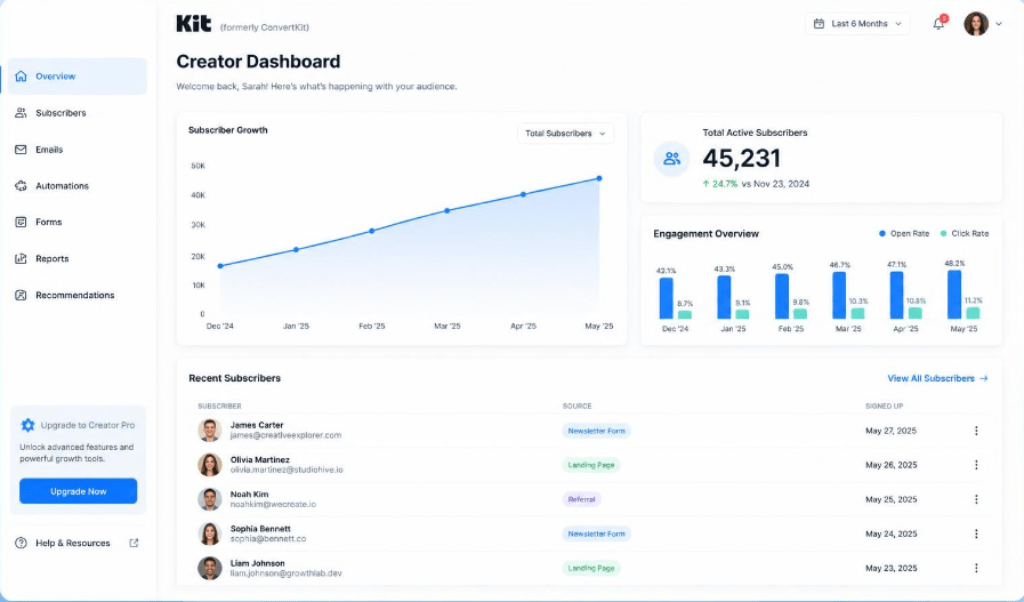
A meaningful Kit review has to go beyond the marketing page and look at how each core feature actually performs for a working creator.
Visual Automation Builder
This is Kit’s single strongest differentiator. The drag-and-drop automation canvas lets you map out entire subscriber journeys — welcome sequences, product launches, tag-based branching logic — on one visual board. Compared to list-based automation in older tools, Kit’s canvas view makes complex funnels genuinely easy to audit and troubleshoot at a glance.
Landing Pages and Forms
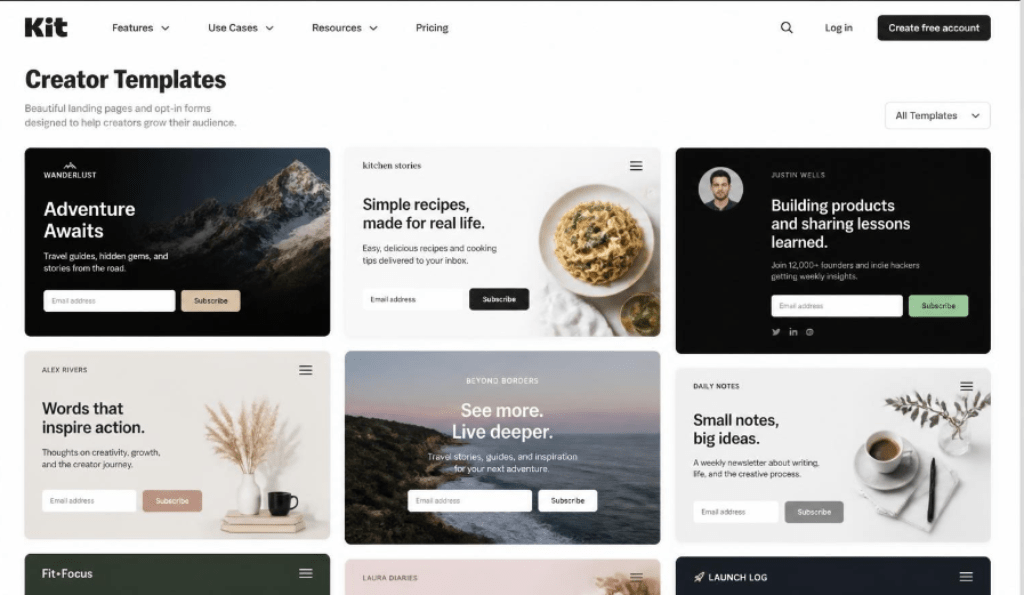
Kit ships with a library of conversion-focused, creator-oriented templates for opt-in forms and landing pages. They’re fast to deploy and load quickly, though customization is noticeably more limited than in dedicated page builders — you’re working within Kit’s design system rather than a fully open canvas.
Creator Commerce and Monetization
Perhaps the most strategically important feature set: built-in tools to sell digital products, run paid newsletter subscriptions, and collect one-off tips, all without bolting on a separate platform like Gumroad or Podia. Kit charges a modest transaction fee (around 0.6%) on top of standard payment processing costs.
The Creator Network
A unique cross-promotion feature that lets creators recommend each other’s newsletters to their own subscribers, functioning as an organic, community-driven growth channel that most competing platforms simply don’t offer.
Kit Pricing Breakdown 2026
Pricing is the single biggest point of tension in nearly every recent Kit review, so it deserves a dedicated, unflinching look. Kit uses a three-tier structure that scales with subscriber count rather than email volume — you’re never charged extra for sending more campaigns, but your bill rises automatically as your list grows.
| Plan | Starting Price* | Subscriber Cap (Free) | Best For |
| Newsletter (Free) | $0 / month | Up to 10,000 subscribers | New creators testing the waters |
| Creator | From ~$33–39 / month | N/A (paid tier) | Removing branding, integrations, automations |
| Creator Pro | From ~$66–79 / month | N/A (paid tier) | Advanced reporting, subscriber scoring, referrals |
*Prices shown are approximate starting rates for up to 1,000 subscribers and are billed monthly; annual billing typically reduces the effective rate. Kit raised prices across all paid tiers in late 2025, roughly doubling entry-level costs compared to previous years, so it’s worth confirming current rates directly on Kit’s pricing page before committing.
“Kit is not the cheapest option, and it is not the best pick if you want flashy, design-heavy email campaigns — but for creators focused on tagging, automation, and monetization, it remains one of the strongest all-around choices in 2026.”
Pros and Cons: An Honest Assessment
No platform is perfect, and any credible Kit review needs to weigh the genuine strengths against the real friction points creators report after months of daily use.
| ✔ Pros | ✘ Cons |
| Extremely generous free plan (10,000 subscribers) | Pricing has risen sharply in recent years |
| Best-in-class visual automation builder | Email design templates feel basic vs. rivals |
| Built-in monetization (digital products, paid newsletters) | Free plan requires visible Kit branding |
| Strong deliverability track record | Limited landing page customization |
| Creator Network aids organic list growth | Charges scale with list size, not usage |
Kit vs. Competitors: How Does It Stack Up?
Kit vs. Mailchimp
Mailchimp offers broader e-commerce integrations and more polished visual email design, but it lacks Kit’s creator-specific tagging logic and Creator Network. For pure audience-building and monetization, Kit is the more focused tool.
Kit vs. beehiiv
beehiiv has emerged as a strong newsletter-first alternative with built-in monetization and a referral program of its own. Kit still edges ahead on automation sophistication, while beehiiv often wins on native newsletter publishing polish.
Beehiiv vs Kit : The In-Depth Comparison to Help You Pick the Right Newsletter Platform
Kit vs. MailerLite
MailerLite is generally cheaper and simpler, making it attractive for budget-conscious beginners. However, it doesn’t match Kit’s depth of automation or its creator-first commerce tools once your business scales past the basics.
Who Should Actually Use Kit?
- Bloggers and newsletter writers who want to grow and monetize an engaged list
- Course creators and coaches selling digital products directly to subscribers
- Podcasters and musicians using email as their primary owned-audience channel
- Creators who value automation depth over glossy campaign design
Kit is a weaker fit for large e-commerce brands, agencies managing dozens of client accounts, or anyone whose priority is highly designed, image-heavy promotional emails — other platforms handle those use cases more gracefully.
Final Verdict
After extensive hands-on use, this Kit review lands on a clear conclusion: Kit remains one of the most capable, creator-centric email marketing platforms available in 2026. Its automation engine, monetization tools, and generous free tier make it an outstanding starting point and a durable long-term home for serious creators. The recent price increases are a legitimate concern for budget-sensitive users, so it’s worth starting on the free Newsletter plan and only upgrading once you’re actively using features like automation, commerce, or advanced reporting that justify the cost.