
Table of Contents
Let’s start with the uncomfortable truth: most AI-generated content reads like it was written by a committee with no personality. Not because the model is weak — because it was never told who you are.
This post is a working setup guide, not a feature tour. By the end of it, you’ll have a Brand Voice profile in Jasper that actually sounds like you, and a repeatable process for keeping it that way.
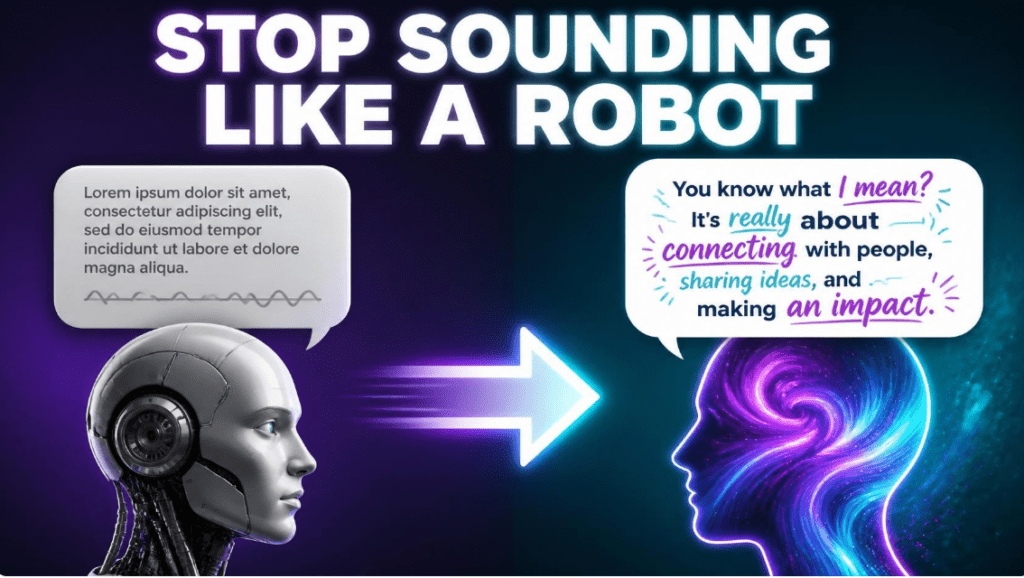
The “Robot Voice” Problem: Why AI Content Sounds the Same
Open ten AI-written blog posts from ten different niches and you’ll notice the same fingerprints: safe vocabulary, three-sentence paragraphs, a tidy summary at the end, and zero opinion. It’s competent. It’s also forgettable.
This isn’t a ceiling on what large language models can do. It’s a default. Without direction, a model writes toward the statistical average of everything it’s seen — which is, by definition, generic.
The real bottleneck isn’t the AI’s capability. It’s the input. Feed it nothing but a topic and a word count, and you get exactly that: a topic and a word count, dressed up in sentences. Garbage in, generic output out.
The fix isn’t a better prompt. It’s training data — your actual writing, fed into the system so it has something specific to imitate instead of the internet’s average tone.
Why Brand Voice Is a Solopreneur’s Ultimate Moat
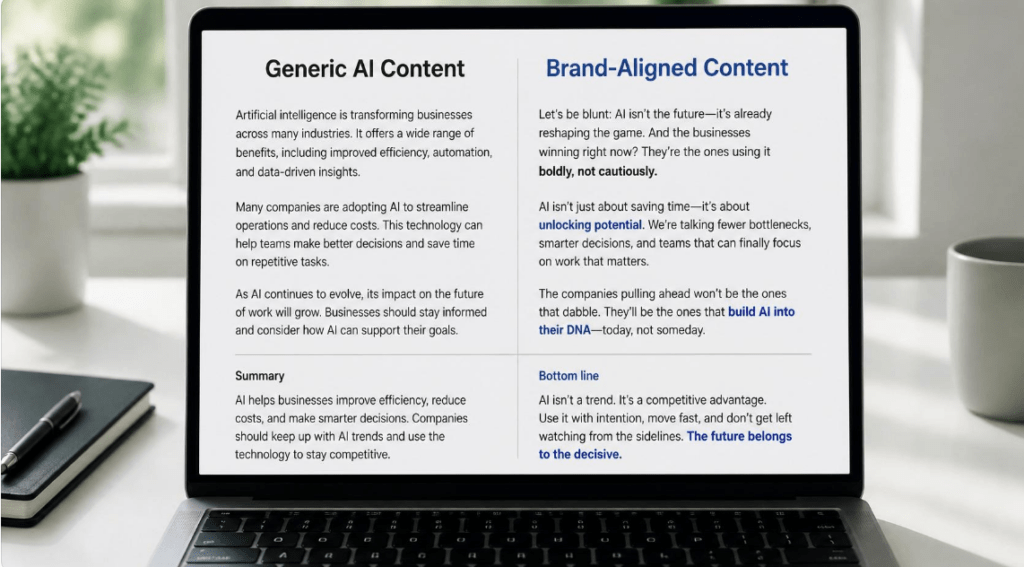
A solo business doesn’t win on having the most information. Your audience can get facts anywhere. What they can’t get anywhere else is you — your phrasing, your pet opinions, the specific way you explain a hard concept.
That voice is what turns a reader into someone who trusts you enough to buy. Strip it out, and your content becomes interchangeable with every other advice post on the same topic. Interchangeable content doesn’t build an audience — it just adds to the noise.
So when your content sounds like generic AI output, you’re not just publishing weaker writing. You’re quietly erasing the one asset a competitor with more budget can’t easily copy: the sound of you thinking on the page.
This is why training Jasper’s Brand Voice isn’t a nice-to-have setting. For a solopreneur, it’s the difference between a content engine that protects your moat and one that dilutes it.
How to Train Jasper AI Brand Voice: The 10-Minute Setup
Here’s the actual process, broken into three phases. None of this requires technical skill — it requires picking the right source material and being deliberate about what you upload.
Step 1: Selecting the Right Training Material (The 3–5 Rule)
Before you touch the Jasper interface, gather your source content. This is the step people rush, and it’s the one that determines everything downstream.
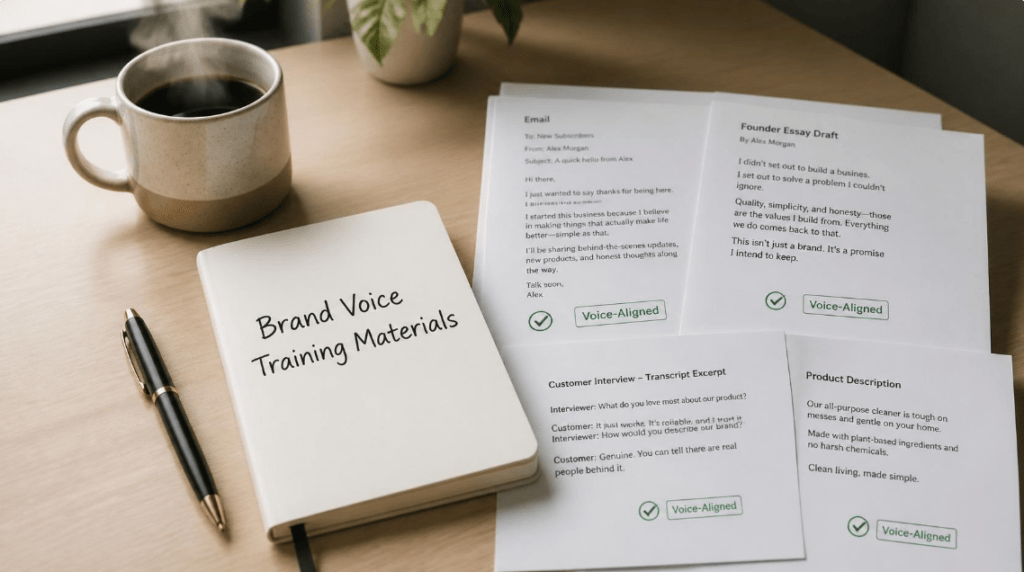
Pick 3 to 5 pieces — no more. More isn’t better here; it’s diluting. Each piece should be something you’d be comfortable reading aloud and saying, “yes, that’s exactly how I’d put it.” Good candidates:
- A personal essay or founder-story post where you were writing for yourself, not an algorithm
- A high-converting email — one where you know, from replies or sales, that it landed
- A core thought-leadership blog post — something opinionated, not a how-to listicle
- A transcript of you talking (a podcast appearance, a webinar, even voice notes turned into text) if you write the way you talk
What to leave out: academic papers, guest posts a ghostwriter drafted, anything you had to force yourself through revisions on to sound “professional.” Unless stiff and formal is genuinely your natural register, formal writing will train the model toward exactly the robotic tone you’re trying to escape.
One more filter: consistency matters more than polish. Five rough but consistently-you pieces beat five polished pieces that sound like five different people.
Step 2: Feeding and Training Inside Jasper
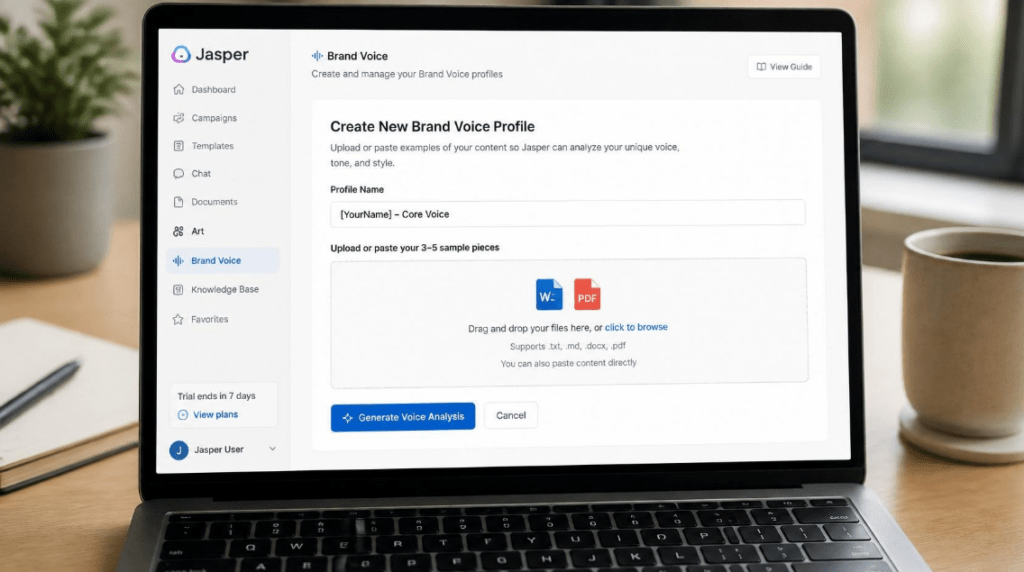
With your source material selected, go into Jasper and navigate to Brand Voice (found under your workspace or brand settings, depending on your plan).
- Click to create a new Brand Voice profile.
- Choose your input method: paste the raw text directly, or provide the URLs if the content is already published online.
- Add all 3–5 pieces to the same profile — Jasper analyzes them together to find the pattern, not just one sample.
- Name the profile something functional, not generic — e.g. “[YourName] – Core Voice” rather than “Brand Voice 1.” If you write differently for email vs. LinkedIn, you’ll eventually want separate profiles, so name accordingly now.
- Save, and let Jasper generate the voice analysis. Skim it. It will surface traits like sentence length, tone, and vocabulary patterns — this is your chance to confirm it actually noticed the right things.
Set this profile as your default for new documents so you’re not manually selecting it every time you open a blank page.
Step 3: The “Stress Test” Prompt
Don’t wait until your next real deadline to find out if the profile works. Test it immediately, on a low-stakes topic, with a prompt that forces the model to show its hand.
Use this exact prompt, swapping in your own topic:
| “Write a short LinkedIn post about [your topic] using my Brand Voice profile. Make it conversational, sharp, and opinionated — take an actual stance rather than staying neutral. Keep paragraphs short (1–2 sentences). Do not summarize at the end; end on the opinion.” |
Read the output and ask one question: could a friend who knows how you talk pick this out of a lineup? If yes, the profile is working. If it still reads like advice-column filler, move to troubleshooting below — the setup isn’t wrong, it just needs a second pass.
Expert Troubleshooting: How to Fix It When It Feels Off
Even a solid Brand Voice profile sometimes lands 90% there. That last 10% is usually one of three things:
The output is too safe or too polished
Your source material was probably slightly more formal than your actual speaking voice. Swap in one rawer piece — a voice-memo transcript or an unedited email — and retrain the profile.
The vocabulary feels off-brand
Add explicit negative instructions in your prompt: “avoid words like ‘delve,’ ‘leverage,’ ‘game-changer,’ and ‘unlock.'” Jasper’s Brand Voice captures tone and rhythm well; it doesn’t always catch that you personally never use certain words. Be specific.
The structure still feels generic
This is a pacing issue, not a voice issue. Tell it directly: “vary paragraph length — mix one-sentence paragraphs with longer ones,” or reference a phrase from your own source material as a style anchor in the prompt itself.
The pattern here: don’t scrap the profile and start over. Diagnose which layer is off — source material, vocabulary, or structure — and adjust that one layer. Retraining from scratch is rarely the fix; a targeted correction usually is.
Conclusion: Reclaim Your Voice, Reclaim Your Output Speed
The real payoff of this 10-minute setup isn’t just better-sounding content. It’s speed. Once Jasper is reliably producing drafts in your voice, you stop rewriting every AI draft from scratch — you start editing instead of translating. That’s the actual time savings solopreneurs are looking for.
Your voice is the one input a template can’t replicate and a competitor can’t copy. Training it properly, once, is a better use of ten minutes than almost anything else in your content workflow this week.
If you haven’t set this up yet, there’s no reason to keep publishing content that sounds like everyone else’s. Run the setup above with your own material and see what changes.
READY TO STOP SOUNDING GENERIC?
RELATED ARTICLES:
Jasper AI vs. Copy.ai: Which AI Writing Partner Wins the Solopreneur’s Workflow Battle?
How to Automate Content Creation for Solopreneurs: The Jasper AI Blueprint