

Email marketing is the backbone of any online business, yet choosing the right platform remains a massive hurdle for most solopreneurs. With dozens of options on the market, GetResponse review 2026 becomes essential to determine which tools actually deliver results. This analysis cuts through the marketing noise to evaluate GetResponse’s features, automation capabilities, and cost-effectiveness, providing a clear roadmap for those looking to build and scale their email lists efficiently.
Table of Contents
What Is GetResponse?
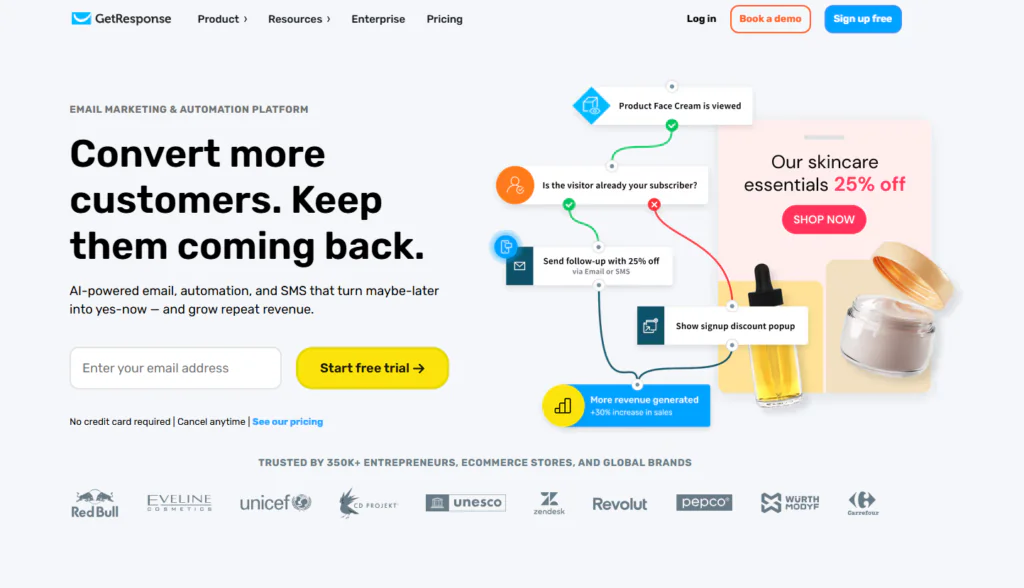
GetResponse is an all-in-one online marketing platform built around email. Originally known purely as an email marketing tool, it has expanded into a full suite: autoresponders, marketing automation, landing pages, simple sales funnels, webinars, and — as of the last couple of years — AI-powered content and email generation.
For a solopreneur, the appeal is obvious: instead of stitching together five different tools, you can run your list-building, nurturing, and even a basic sales funnel from one dashboard.
Key Features — What You Actually Get in This GetResponse Review
1. Email Creator & Autoresponders
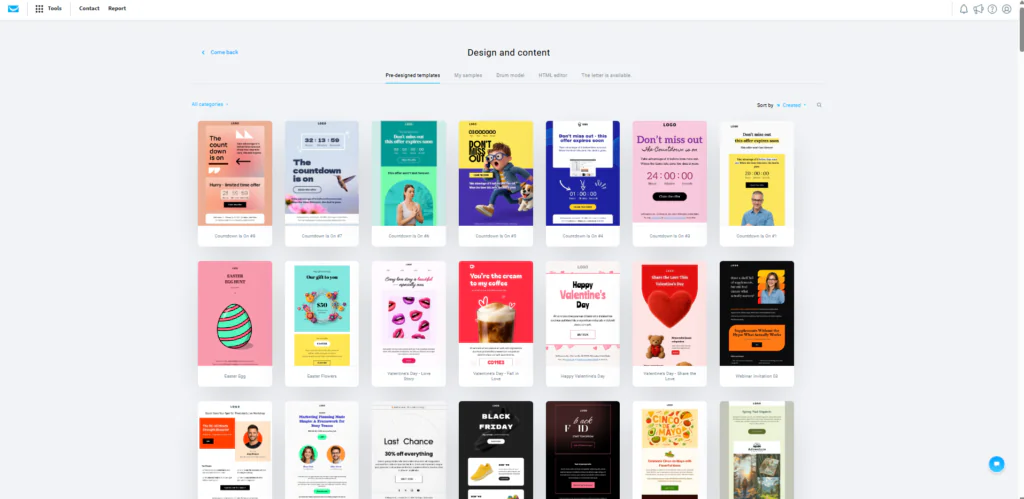
The drag-and-drop email builder is genuinely beginner-friendly. You don’t need any HTML knowledge — you pick a template, drop in blocks (text, image, button, product), and it auto-adjusts for mobile.
2. Marketing Automation (Workflow Builder)
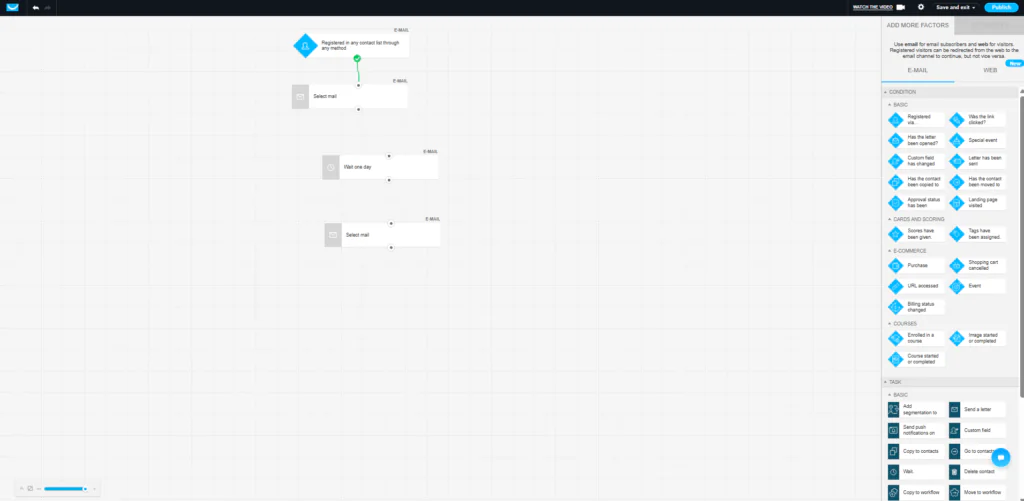
This is where GetResponse separates itself from cheaper tools. The visual automation builder lets you set conditions (“if subscriber clicks link X”) and actions (“send email”, “add tag”, “wait 2 days”) on a canvas, without writing a single line of code.
3. Landing Pages & Simple Funnels
GetResponse includes a landing page builder and a basic “Conversion Funnel” feature — useful if you’re launching a lead magnet or a small digital product and don’t want to pay separately for Systeme.io or a page builder.

4. AI Email Generator
A newer addition: you describe what you want (“a welcome email for a newsletter about productivity”), and GetResponse drafts subject lines and body copy for you. It won’t replace a copywriter, but it’s a genuinely useful starting point when you’re staring at a blank page.
5. Webinars (Higher Tiers)
On paid plans, GetResponse includes native webinar hosting — a feature most competitors charge extra for or don’t offer at all.
Pricing — Is It Actually Cheap?
GetResponse pricing is based on your number of contacts. Here’s the general structure at the time of writing (always confirm current pricing on the official page):
| Plan | Best For | Core Features |
| Free | Testing the waters (up to 500 contacts) | Email creator, basic automation, 1 landing page |
| Email Marketing | Solo creators just starting out | Unlimited emails, autoresponders, basic segmentation |
| Marketing Automation | Solopreneurs ready to automate | Full automation builder, webinars, advanced segmentation |
| MAX / MAX2 | Growing businesses / agencies | Dedicated support, deliverability consulting, custom solutions |
You can check the current pricing and start with the free plan directly here: GETRESPONSE OFFICIAL PRICING PAGE
💡 Note: The free plan is genuinely usable for testing — not just a watered-down demo — which makes it a low-risk way to try before committing.
Pros and Cons
| ✅ Pros | ❌ Cons |
| • Free plan available with real automation features, not just a trial | • Interface can feel cluttered with so many features crammed in |
| • Automation builder is powerful yet visual — no code required | • Some advanced automation logic has a learning curve |
| • Built-in landing pages and simple funnels save you a separate tool | • Landing page templates are decent but not as polished as dedicated builders |
| • AI email generator speeds up content creation | • Higher tiers get expensive as your list grows |
| • Native webinar hosting on higher tiers |
Who Is GetResponse Best For?
- Content creators building an email list who also want basic automation without hiring a developer
- Solopreneurs who want email + landing pages + light funnels in a single subscription
- Coaches or course creators who need webinars without buying a separate webinar tool
If you only need dead-simple newsletters with zero automation, a lighter tool might suffice. But if you plan to grow into sequences, tagging, and behavior-based emails, GetResponse gives you room to grow without switching platforms later.
Alternatives to Consider
If GetResponse doesn’t feel like the right fit, two tools worth comparing are Mailchimp (simpler, more expensive at scale) and Kit / ConvertKit (creator-focused). We cover the Mailchimp comparison in detail in the next article.
Frequently Asked Questions
Is GetResponse good for complete beginners?
Yes. The free plan and drag-and-drop builders are designed so you can launch your first email campaign the same day you sign up, without technical help.
Does GetResponse have a free trial?
GetResponse offers a genuinely free plan (not just a time-limited trial) for up to 500 contacts, plus a 30-day trial of paid features on signup.
Is GetResponse better than Mailchimp?
It depends on your priorities. GetResponse tends to offer more automation and funnel features for the price; Mailchimp has a bigger brand and simpler interface for pure beginners. See the full comparison in Article 2.
Final Verdict
GetResponse earns its spot on “best for beginners” lists for a good reason: it genuinely balances ease of use with room to grow into real automation. It’s not the cheapest tool on the market, but for a solopreneur who wants email marketing, landing pages, and a basic funnel under one roof, it’s one of the strongest all-in-one options available in 2026.
Ready to try it yourself? Start with the free plan (no credit card required) here: START GETRESPONSE FREE PLAN
Recent Post:
CodeDesign.ai Review 2026: Amazing AI Tool to Automate Your Ads?
Groove Review 2026: Is This All-in-One Platform Really “Free Forever” Like They Claim?