
Table of Contents
Before You Read: The Question You Should Actually Be Asking
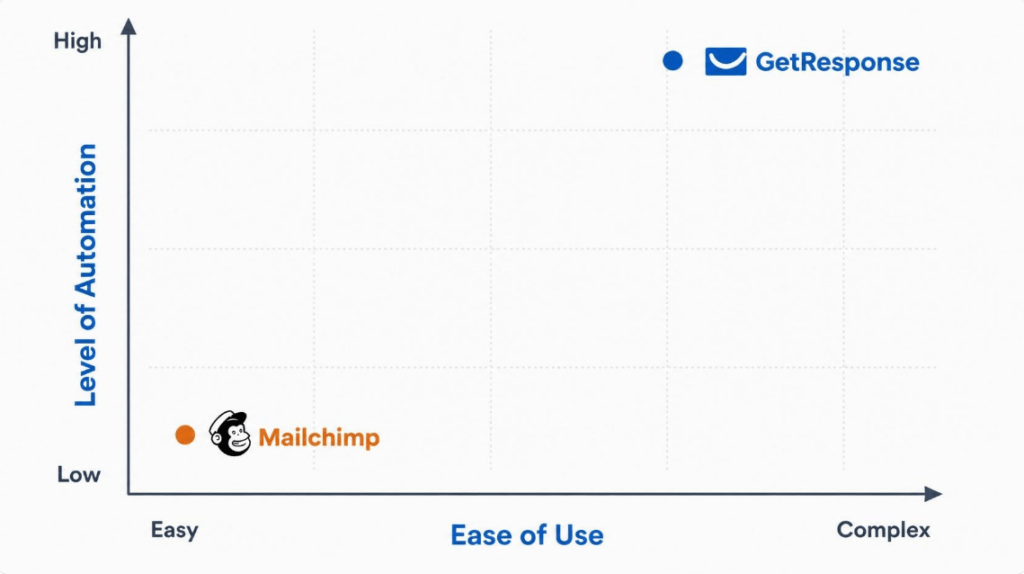
Most comparison articles ask “Which platform is better?” That’s the wrong question. GetResponse and Mailchimp aren’t built to solve the same problem — they solve different stages of the same problem: turning an audience into revenue.
The right question is:
– Who needs the depth and automation power of GetResponse — and is willing to spend time learning it?
– Who needs the simplicity and speed of Mailchimp — and is willing to trade power for ease?
There is no universal answer. There’s only your answer, based on where your business is today. This article is built to help you find that answer yourself — not to push you toward a purchase.
GetResponse vs Mailchimp: Why GetResponse is Built for Automation
GetResponse positions itself as an all-in-one marketing operating system less as an “email tool” and more as an all-in-one marketing operating system: email, automation, landing pages, webinars, and even course hosting live under one roof.
3 Biggest Strengths
1. Automation depth that scales with complexity
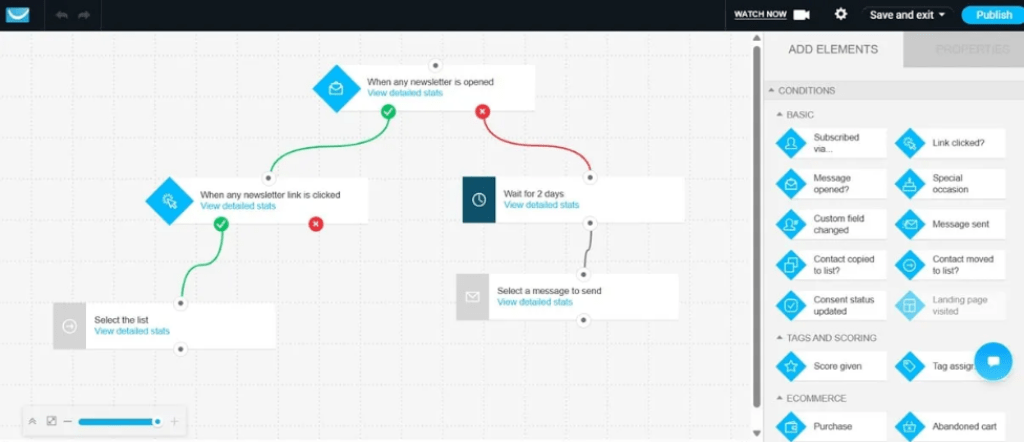
GetResponse’s visual automation builder supports branching logic, tagging, scoring, and multi-condition workflows even on its mid-tier plans. If your business model depends on sequences — abandoned cart recovery, tripwire funnels, evergreen webinar follow-ups — this is where GetResponse earns its price tag.
2. Genuine all-in-one positioning
Landing pages, webinars, a website builder, and even a course/content-monetization module are built into the same subscription. For a solopreneur juggling ten tools, consolidating into one login is a real reduction in cognitive load — not just a marketing claim.
3. Unlimited email sends on every paid plan
Unlike many competitors that cap monthly sends, GetResponse lets you email your list as often as your strategy demands, regardless of tier. This matters for solopreneurs running frequent newsletters, daily content drops, or high-cadence launch sequences.
3 Biggest Weaknesses (and where they bottleneck you)
1. Steeper learning curve
Bottlenecks you at: the “just get started” stage. If you’re a solo founder with zero marketing background, the sheer number of modules (automation, funnels, webinars, courses) can be paralyzing in month one. You may spend more time learning the tool than talking to customers — a real cost when speed-to-first-email matters most.
2. Entry-tier automation is deliberately limited
Bottlenecks you at: the “beyond one welcome sequence” stage. The entry-level plan limits you to a single automation workflow. That’s fine for a basic welcome series, but the moment you want a second flow (e.g., a re-engagement sequence and a cart-recovery sequence), you’re forced to upgrade — often sooner than expected.
3. Interface feels utilitarian, not delightful
Bottlenecks you at: the branding/design polish stage. GetResponse’s editor is functional but less visually refined than some newer competitors. If email design and on-brand aesthetics are core to how you sell (e.g., a design-led product brand), you may find yourself fighting the template editor more than you’d like.
4. Niche integration limitations
Bottlenecks you at: The “advanced e-commerce” stage. While GetResponse integrates well with major platforms like Shopify and WordPress, its ecosystem is not as broad as Mailchimp’s. If your business relies on highly specific, niche Shopify plugins or specialized third-party e-commerce tools, you may find that GetResponse’s integration depth is not as extensive or “plug-and-play” as Mailchimp’s.
GetResponse vs Mailchimp: Why Mailchimp is Built for Speed
Mailchimp built its reputation as the tool that made email marketing accessible to non-marketers. In 2026, it has expanded into a broader “Marketing Platform” but its core identity — simplicity first — hasn’t changed.
3 Biggest Strengths
1. Fastest time-to-first-campaign
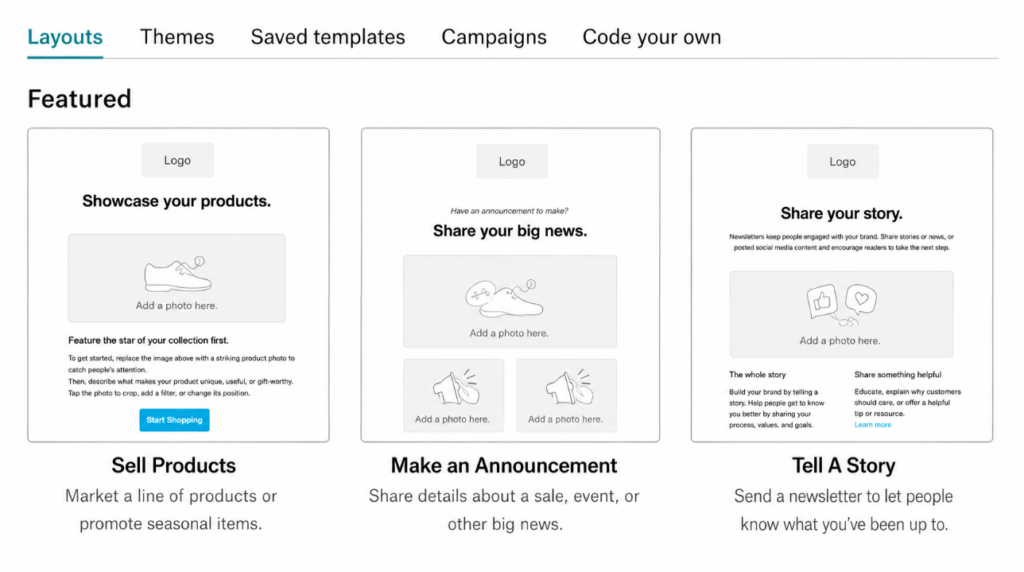
The drag-and-drop editor, ready-made templates, and clean dashboard mean a first-time user can design and send a professional-looking email within an hour. For a solopreneur validating an idea, speed beats sophistication.
2. Low-cost, low-commitment entry point
A genuinely free tier and an affordable Essentials plan let you test whether email marketing even fits your business model before committing real budget. This lowers the risk of “paying for a tool you’re not ready to use.”
3. Massive integration and template ecosystem
Because of its market share, Mailchimp connects natively with almost every e-commerce, CMS, and CRM tool a solopreneur is likely to already use (Shopify, WordPress, Squarespace, etc.), reducing setup friction.
3 Biggest Weaknesses (and where they bottleneck you)
1. Hard monthly send caps, even on paid plans
Bottlenecks you at: the “consistent, high-frequency sender” stage. Every Mailchimp tier — including paid ones — caps how many emails you can send per month relative to your contact count. A solopreneur who sends daily value content or runs frequent promotions can hit that ceiling faster than expected, forcing an unplanned upgrade mid-cycle.
2. Multi-step automation is locked behind the Standard tier
Bottlenecks you at: the “building real customer journeys” stage. Basic single-trigger automations (like a welcome email) are available early, but branching, multi-step journeys — the kind that actually nurture a cold lead into a buyer — require a higher-cost plan. Businesses that outgrow “send a newsletter” and move into “build a funnel” often feel this wall first.
3. Pricing scales aggressively with list size
Bottlenecks you at: the “growing past a few thousand contacts” stage. Mailchimp’s cost curve is steep as your list grows, and it counts unsubscribed or inactive contacts toward your limit in some cases. A solopreneur with a healthy, growing list can see costs rise faster than revenue if they’re not actively pruning their audience.
Side-by-Side Comparison Table
| Criteria | GetResponse | Mailchimp | Best-Fit Audience |
| Starting price (paid) | ~$19/month (1,000 contacts) | ~$13/month (500 contacts) | Mailchimp for tightest budgets; GetResponse for slightly more contacts at entry |
| Free plan | Yes — 500 contacts / 2,500 monthly emails | Yes — 500 contacts / 500-2500 sends/mo (varies) | Mailchimp for pre-revenue testing |
| Monthly send limits | Unlimited on all paid plans | Capped, tied to contact count (even on paid tiers) | GetResponse for high-frequency senders |
| Automation depth | Multi-step, branching logic available from mid-tier | Multi-step automation locked behind Standard tier | GetResponse for funnel-heavy, product-launch businesses |
| Landing pages & funnels | Built in, even on entry plans | Available but less central to the product | GetResponse for solopreneurs selling directly via funnels |
| Webinars & course hosting | Built in on higher tiers | Not native | GetResponse for coaches, course creators, consultants |
| Ease of use for beginners | Moderate learning curve | Very beginner-friendly | Mailchimp for first-time email marketers |
| Design/template polish | Functional, less trend-forward | Strong, design-friendly templates | Mailchimp for design-led, aesthetic-first brands |
| Integration ecosystem | Solid, but smaller than Mailchimp’s | Extensive (Shopify, WordPress, etc.) | Mailchimp for e-commerce sellers on popular platforms |
| Cost scaling as list grows | Narrows between tiers at high volume | Increases steeply, especially past 5,000–10,000 contacts | GetResponse for solopreneurs planning aggressive list growth |
(Pricing reflects publicly listed rates as of mid-2026 and may change — always verify current numbers on each provider’s official pricing page before deciding.)
Note: The “Free-forever” plan for GetResponse includes up to 500 contacts and 2,500 monthly emails. While it is a great starting point for list building, it comes with strict limitations on automation and advanced features. You will likely need to upgrade to a paid plan once you are ready to scale your funnels or launch multi-step customer journeys.
The Roadmap: A Problem-Solving Approach, Not a One-Time Choice
Instead of asking “which one should I pick forever,” think of this as a two-stage decision tied to your actual business pain points.
Stage 1 — Validation (0 to ~1,000 engaged subscribers)
Pain point: You don’t yet know if email is even a channel your audience responds to. Every dollar and every hour spent learning a complex tool is a dollar not spent talking to customers.
What to solve for: Speed and cost, not sophistication.
Likely fit: Mailchimp’s free or Essentials tier removes financial risk and gets your first campaign out fast. If you’re still testing subject lines, offers, and audience fit, simplicity is the more valuable feature — not automation depth you won’t use yet.
Stage 2 — Systemization (list is growing, and you’re repeating manual tasks)
Pain point: You’re manually sending the same emails to new subscribers, manually following up after purchases, or manually re-engaging cold leads. Your time — the scarcest resource for a solopreneur — is being eaten by repetitive tasks that should run themselves.
What to solve for: Automation depth and consolidation of tools.
Signal it’s time to consider switching: You find yourself wanting a second or third automation workflow, you’re building a real sales funnel (not just a newsletter), or you’re paying for landing page/webinar tools separately from your email tool. This is the point where GetResponse’s all-in-one automation model starts paying for itself — not before.
A Practical Migration Note
Switching platforms is not free — it costs time (list migration, rebuilding templates, re-testing automations) and carries some deliverability risk during the transition. Don’t switch reactively because a blog post told you to. Switch when you can clearly name which specific manual task the new platform will eliminate, and confirm that task is worth more than the migration effort.
The Honest Bottom Line
Neither platform is objectively “better.” GetResponse rewards solopreneurs who are ready to invest time into building automated systems. Mailchimp rewards solopreneurs who need to move fast with minimal friction today.
The most reliable way to decide isn’t reading one more comparison article — it’s asking yourself honestly: is my current bottleneck “I need to start” or “I need to automate”? Your answer to that single question will tell you more than any feature table can.
RECENT POST:
GetResponse Review 2026: Is It Really Worth It for Beginners?
CodeDesign.ai Review 2026: Amazing AI Tool to Automate Your Ads?
Groove Review 2026: Is This All-in-One Platform Really “Free Forever” Like They Claim?