
Table of Contents
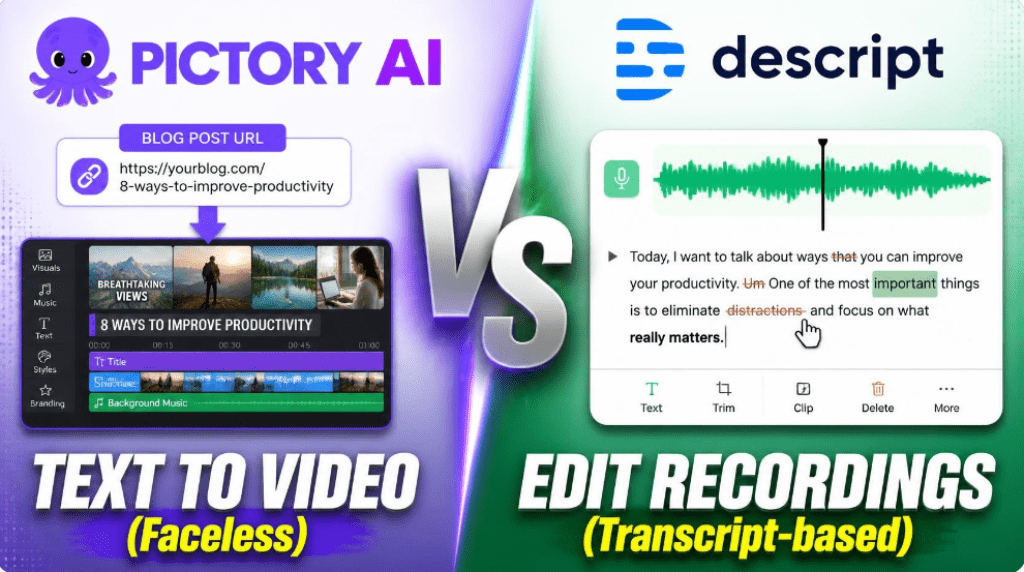
If you’ve landed on this comparison, you’re likely trying to decide between two very different philosophies of video creation: generate a video from a script, or edit a video like a text document. That’s the real question behind Pictory AI vs Descript — and it matters more than any feature checklist, because these two tools are built to solve different problems for different creators.
This guide breaks down Pictory AI vs Descript across workflow, AI capabilities, output quality, pricing, and — most importantly — the specific use case each one was actually designed for. By the end, you’ll know exactly which tool deserves your subscription, and which one will sit unused after the free trial.
Pictory AI vs Descript: What Each Tool Actually Does
Before comparing features line by line, it helps to understand that Pictory AI and Descript solve opposite problems. One starts with a blank page; the other starts with a recording.
Pictory AI: Turn Text, Blogs, and Scripts Into Video
Pictory AI is a text-to-video generation platform. You feed it a blog post, a script, a URL, or even a webinar recording, and it automatically assembles a video using stock footage, AI voiceovers, captions, and background music. There is no camera, no raw footage, and often no filming at all. It’s built for marketers, YouTubers repurposing written content, and small teams that need to publish video consistently without a production budget.
- Core workflow: Text → AI script breakdown → auto-matched stock clips → voiceover → finished video
- Best for: content repurposing, faceless YouTube channels, social clips from blog posts
- Strength: speed — a rough video can be ready in minutes, not hours
Descript: Edit Video and Audio Like a Word Document
Descript is a recording-first editor. You upload footage you’ve already captured — a podcast, a webinar, a talking-head video — and Descript transcribes it automatically. From there, you edit the video by editing the text transcript: delete a sentence, and the matching video and audio are cut too. It’s built around its AI assistant, Underlord, along with tools like filler-word removal, Studio Sound cleanup, and voice cloning (Overdub).
- Core workflow: Record → auto-transcribe → edit by deleting/rearranging text → polish with AI tools
- Best for: podcasters, YouTubers who film themselves, agencies editing client interviews
- Strength: precision — frame-accurate control over footage you already own
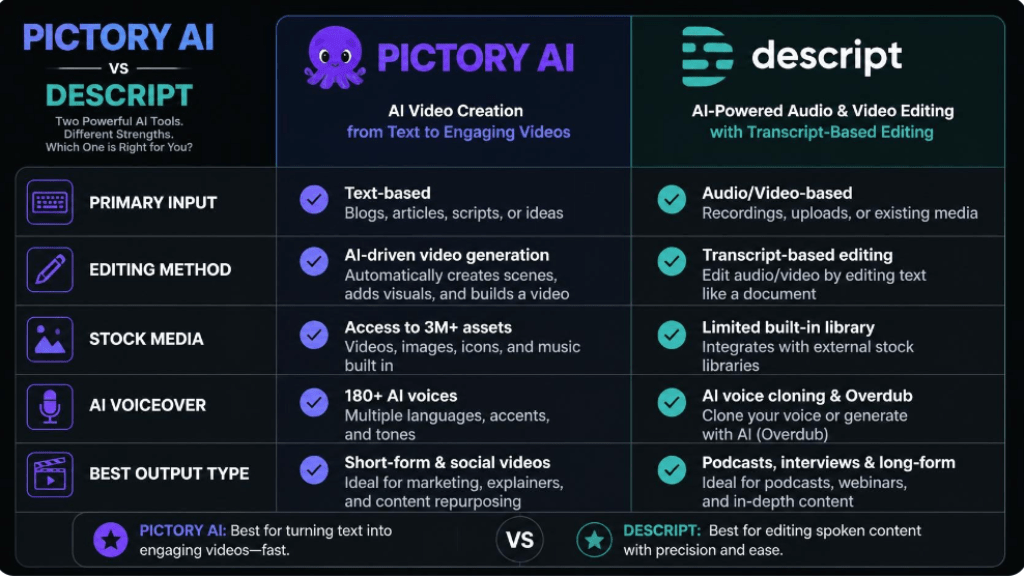
Pictory AI vs Descript: Core Feature Comparison
Once you understand the underlying philosophy, the feature comparison in Pictory AI vs Descript becomes much easier to read — most differences trace directly back to that text-first vs. footage-first design choice.
| Feature | Pictory AI | Descript |
| Primary input | Text, blog posts, URLs, scripts | Recorded audio/video footage |
| Editing method | Template & scene-based auto-assembly | Edit by editing the transcript |
| Stock media library | 3M+ clips, Storyblocks, Getty add-ons | Limited stock, focus is your own footage |
| AI voiceover | Built-in AI voices + ElevenLabs option | Overdub voice cloning (your own voice) |
| Filler-word / cleanup tools | Basic auto-captioning | Advanced: filler-word removal, Studio Sound |
| Multi-track precision editing | Limited | Full multi-track, frame-accurate |
| Best output type | Faceless explainer & social videos | Talking-head, podcast, interview edits |
| Learning curve | Low — near plug-and-play | Low-to-moderate — text editing is intuitive |
Pictory AI vs Descript: Pricing in 2026
Pricing structures differ almost as much as the products themselves. Pictory AI meters usage by video minutes generated per month, while Descript meters usage by media hours transcribed or recorded. Numbers below reflect publicly listed 2026 annual pricing and should be reconfirmed on each vendor’s site before you commit, since AI-tool pricing shifts frequently.
| Plan tier | Pictory AI (annual billing) | Descript (annual billing) |
| Free / entry | Free plan with watermark, limited minutes | Free plan, ~60 media minutes/month |
| Starter tier | ~$25/month · 200 video minutes | Hobbyist ~$16–24/month |
| Mid tier | ~$35/month · Professional, gen-AI credits | Creator ~$24–35/month · 4K export |
| Team tier | ~$119/month · Teams, collaboration | Business ~$50–65/month · shared workspace |
| Enterprise | Custom pricing, SSO, dedicated manager | Custom pricing, SSO, security review |
A useful rule of thumb: Pictory’s cost scales with how many minutes of video you generate from scratch, so heavy content repurposing can burn through credits fast. Descript’s cost scales with how many hours of raw footage you record and transcribe, so frequent podcasters or interviewers are the ones who tend to outgrow the lower tiers.
Pictory AI vs Descript: Who Should Choose Which
Choose Pictory AI If…
- You publish content but rarely film yourself — blog-to-video is your main goal
- You need volume: multiple short videos per week without a production team
- You want built-in access to stock footage, music, and AI voices in one subscription
- Your priority is speed to publish, not frame-level editing control
Choose Descript If…
- You already record podcasts, webinars, or talking-head videos regularly
- You want precise, transcript-based control over pacing, cuts, and cleanup
- Removing filler words, silences, and background noise is a recurring headache
- You manage a team that edits client or company footage collaboratively
Pictory AI vs Descript: Final Verdict
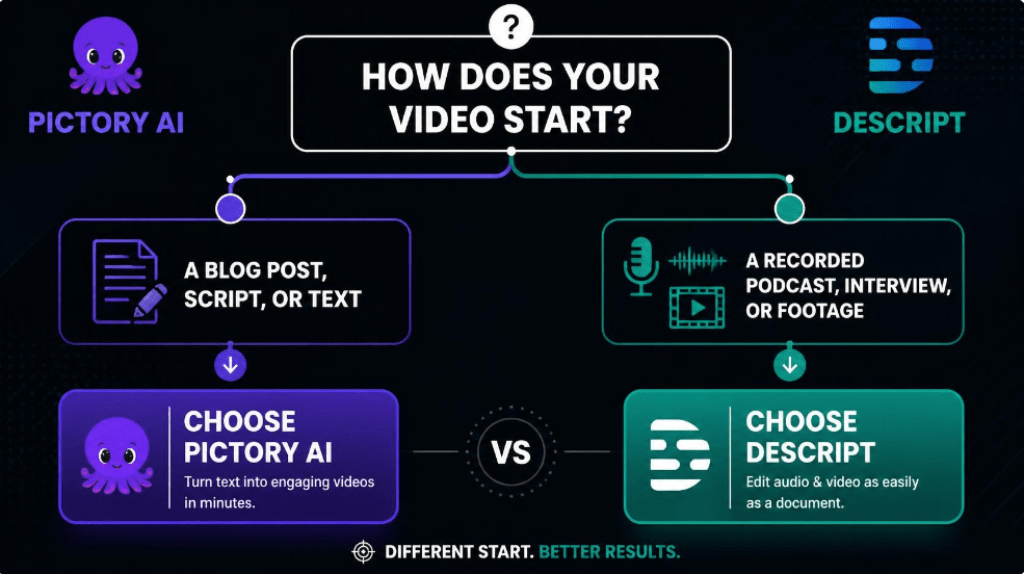
There isn’t a universal winner in the Pictory AI vs Descript debate, because the two tools rarely compete for the same job. Pictory AI wins when the goal is turning existing written content into video at scale, with minimal manual work. Descript wins when the goal is refining footage you’ve already captured into a polished, professional final cut.
Some content teams — especially agencies and prolific creators — end up using both: Pictory AI for fast, faceless repurposing content, and Descript for interviews, podcasts, and anything shot on camera. If your budget only allows one, match the tool to your primary content format rather than to whichever platform has the flashier feature list.
Still unsure which fits your workflow? Map out your next 5 videos — if most start as a blog post or script, lean Pictory AI. If most start as a recording, lean Descript.
RECENT POST:
Pictory AI Review 2026: Is It Still the Best Text-to-Video Tool for Busy Creators?
Top Newsletter Platforms 2026: The Best Tools for Creators and Businesses
Beehiiv vs Kit : The In-Depth Comparison to Help You Pick the Right Newsletter Platform