
Table of Contents
The Rise of Short-Form Video and Why You Need the Best AI Video Generator in 2026
Short-form, algorithm-friendly video has become the default language of the internet. TikTok, Reels, Shorts, and even LinkedIn now reward creators who can publish fast, frequently, and consistently. But behind every scroll-stopping clip is a workflow that most creators quietly dread: hours in a timeline, mismatched captions, stock footage hunting, and render times that eat entire evenings.
The Content Creator’s Dilemma: Time, Skill, and Cost
Three pain points show up again and again when creators talk about video production:
- Time drain — a single 60-second video can take 3–5 hours to script, film, and edit manually.
- Skill gap — not every creator, marketer, or founder knows how to use Premiere Pro, DaVinci Resolve, or After Effects.
- Rising costs — hiring a freelance editor or agency for consistent output quickly becomes unsustainable for solo creators and small teams.
This is exactly the gap that AI video generation tools were built to close. In this guide, we’ve tested and compared the best AI video generator platforms available right now, so you can pick the one that actually fits your workflow — without spending your weekend learning new software.
Top 5 AI Video Generator Tools Reviewed for 2026
1. Pictory AI — The Best Text-to-Video Automation Tool for Busy Creators
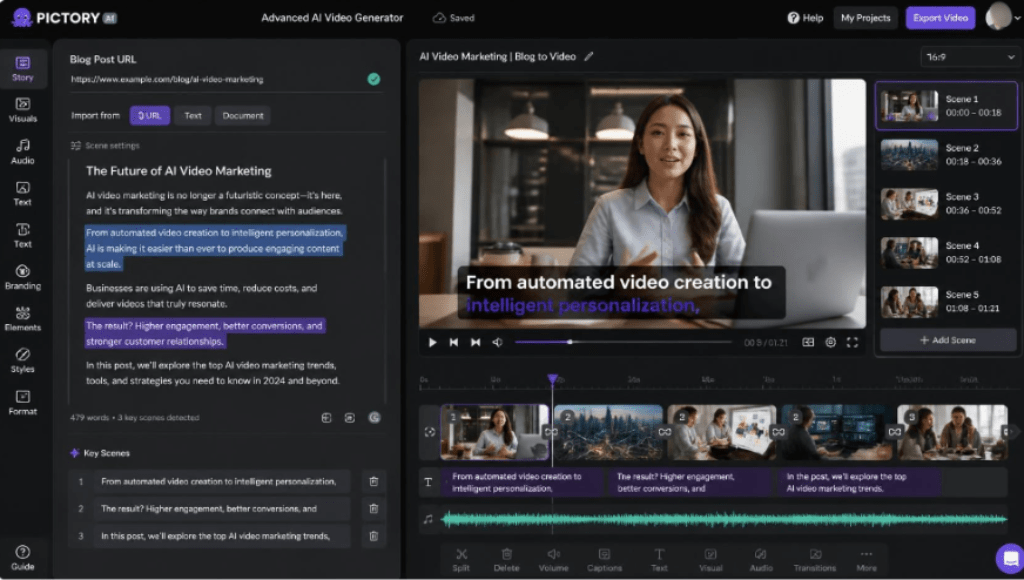
If there is one tool on this list built specifically for people who don’t have time to edit, it’s Pictory AI. Its standout capability is converting long-form written content — a blog post, an article, or a raw script — into a fully edited, captioned, voiced-over video in minutes. You paste in a URL or text, choose a style, and Pictory’s AI handles scene selection, stock footage matching, text-to-speech, and caption placement automatically.
For creators who already publish blogs, newsletters, or scripts and simply need to repurpose that content into video without learning an editing suite, this is the single biggest time-saver in the AI video space right now.
Core features:
- Blog post/article/script → automatic video conversion (Pictory’s signature workflow)
- AI script summarizer that trims long-form text into a tight, watchable video script
- Automatic branded captions — proven to increase watch time and accessibility
- Huge library of licensed stock footage, images, and music matched automatically to your script
- Text-based editing: edit the video by editing the transcript, no timeline skills needed
- Fastest route from written content to publish-ready video on this list
- No editing experience required — the interface is built around text, not timelines
- Excellent for repurposing existing blogs/podcasts into short-form video at scale
- Affordable entry-level pricing compared to hiring an editor
- Avatar and voice realism is good but not as cinematic as dedicated avatar tools
- Highly custom animation work still benefits from a traditional editor
Best for: bloggers, marketers, course creators, and busy founders who already write content and want to turn it into video without touching an editing timeline.
2. Synthesia — Best for AI Avatar and Corporate Training Videos
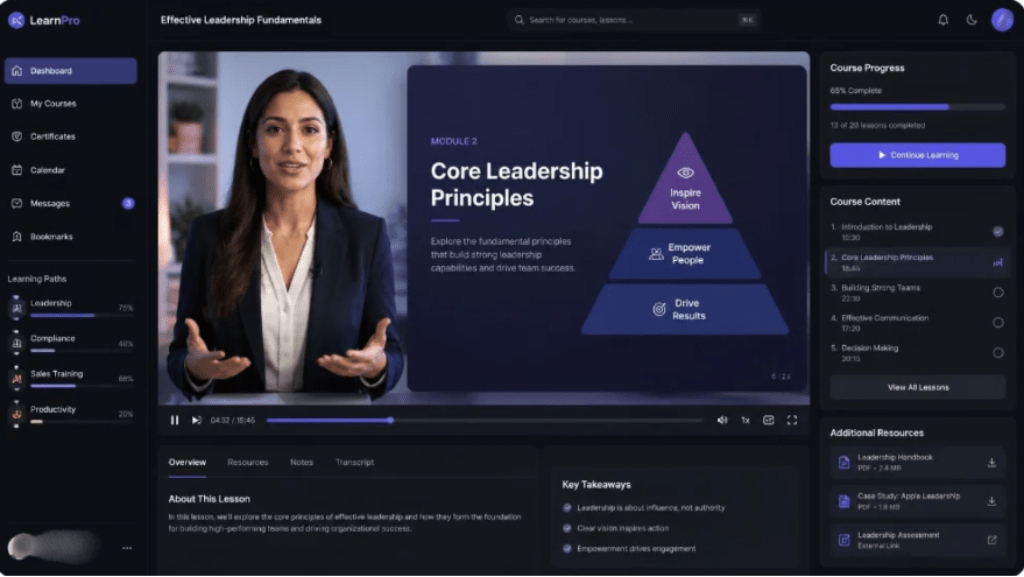
Synthesia is the go-to platform when a business needs a presenter-style video without hiring a presenter. It generates realistic AI avatars that read your script aloud in over 120 languages, making it a favorite for HR, onboarding, and e-learning teams.
Core features:
- 140+ stock AI avatars, plus custom avatar creation from your own footage
- Script-to-video generation with natural-sounding voiceovers
- Multilingual translation and dubbing in a single click
- Extremely polished, professional avatar quality
- Great for scaling training and internal communication videos
- Higher price point for full features
- Less flexible for fast-paced, trend-driven social content
Best for: corporate teams, HR departments, and e-learning creators.
3. InVideo AI — Best Prompt-to-Video Generator for Social Media
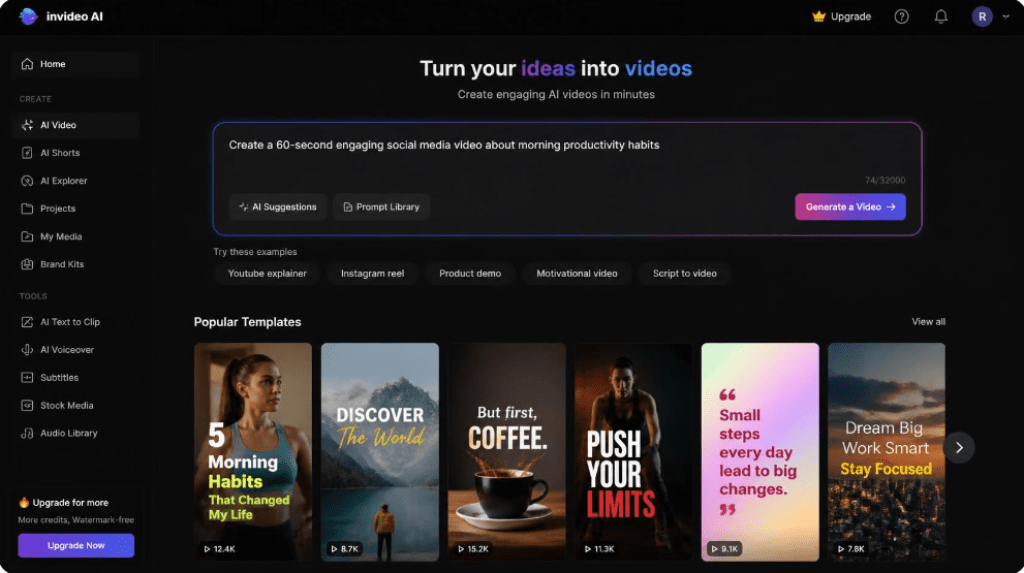
InVideo AI lets creators type a simple prompt — like ‘make a 60-second video about morning productivity habits’ — and generates a draft video complete with visuals, voiceover, and music. It leans on a massive template library to keep output on-trend.
Core features:
- Prompt-based full video generation from a single sentence
- 5,000+ templates optimized for TikTok, Reels, and YouTube Shorts
- Built-in AI voice and stock media library
- Fast for generating first drafts and content ideas
- Strong template variety for social-first formats
- Generated drafts often need manual polishing before publishing
- Free plan is fairly limited in export quality
Best for: social media managers and agencies producing high volumes of short content.
4. Runway — Best for Generative, Cinematic AI Video Effects
Runway sits at the more experimental, creative end of the spectrum. Its Gen-3 generative models can create entirely new video footage from text or image prompts, plus offer professional-grade effects like green-screen removal and motion tracking.
Core features:
- Text-to-video and image-to-video generative AI models
- Advanced editing tools: inpainting, motion brush, green-screen removal
- Frequent updates pushing the boundary of what generative video can do
- Unmatched for producing original, stylized AI-generated footage
- Popular among filmmakers and creative studios for experimentation
- Steeper learning curve than the other tools on this list
- Credits/compute costs can add up for heavy generative use
Best for: filmmakers, VFX artists, and creative studios exploring generative video.

5. HeyGen — Best for Multilingual AI Avatar Sales & Demo Videos
HeyGen specializes in lifelike avatar videos with precise lip-sync, making it popular for product demos, sales outreach, and localized marketing campaigns across dozens of languages.
Core features:
- Realistic AI avatars with accurate lip-sync in 40+ languages
- Instant avatar cloning from a short video sample
- API access for embedding avatar video generation into other apps
- Best-in-class lip-sync accuracy
- Great for scaling personalized outreach and localization
- Focused mainly on talking-head style content, less suited for narrative editing
- Custom avatar cloning sits behind higher-tier plans
Best for: sales teams, SaaS companies, and creators doing multilingual outreach.
Quick Comparison Table: Best AI Video Generator Tools at a Glance
| Tool | Pricing | Core Strength | Best For / Ease of Use |
| Pictory AI | Free trial; paid plans from ~$19–$99/mo | Turns blog posts & scripts into video automatically | Non-editors, bloggers, marketers — Very easy |
| Synthesia | Free trial; paid plans from ~$18–$67+/mo | Realistic AI avatars & multilingual voiceovers | Corporate training, HR, e-learning — Easy |
| InVideo AI | Free plan; paid plans from ~$20–$48/mo | Prompt-to-video generation with templates | Social media teams, agencies — Easy |
| Runway | Free trial; paid plans from ~$15–$95/mo | Generative AI video (Gen-3) & cinematic effects | Filmmakers, creative studios — Moderate |
| HeyGen | Free trial; paid plans from ~$29–$89/mo | AI avatar videos with lip-sync in 40+ languages | Sales, product demos, localization — Easy |
Conclusion: How to Choose the Right AI Video Generator for Your Needs
There isn’t a single ‘best’ tool for everyone — the right choice depends on what you’re starting with and how much editing control you want:
- Already writing blogs, scripts, or articles and want the fastest path to video? Pictory AI is built exactly for this.
- Need a professional presenter without filming anyone? Synthesia or HeyGen.
- Producing high volumes of trend-driven social clips? InVideo AI.
- Want fully original, generative AI footage? Runway.
Our Recommendation: Start With Pictory AI
If you’re a content creator, blogger, or marketer who feels the time-and-skill pain points described at the start of this article, Pictory AI is the most practical starting point on this list. Its text-to-video workflow removes the editing barrier entirely, letting you repurpose content you’ve already written into video within minutes — no timeline, no learning curve, no expensive freelancer.
RECENT POST:
Pictory AI vs Descript: Which AI Video Tool Actually Fits Your Workflow in 2026?
Zapier vs Make (Integromat) in 2026: Which Automation Tool Actually Saves Solopreneurs More Time?