
Table of Contents
I’ll be honest: I went into this Pictory AI Review expecting another glossy AI tool that promises the world and delivers a watermarked, robotic-sounding clip. I’ve burned enough hours on tools like that. So over three weeks, I ran Pictory through real work — turning a 1,800-word blog post into a YouTube video, cutting a 40-minute webinar into short clips, and building a script-to-video ad from scratch. What follows is what actually happened, not a rehash of the marketing page.
What Is Pictory AI? A Quick Pictory AI Review Breakdown
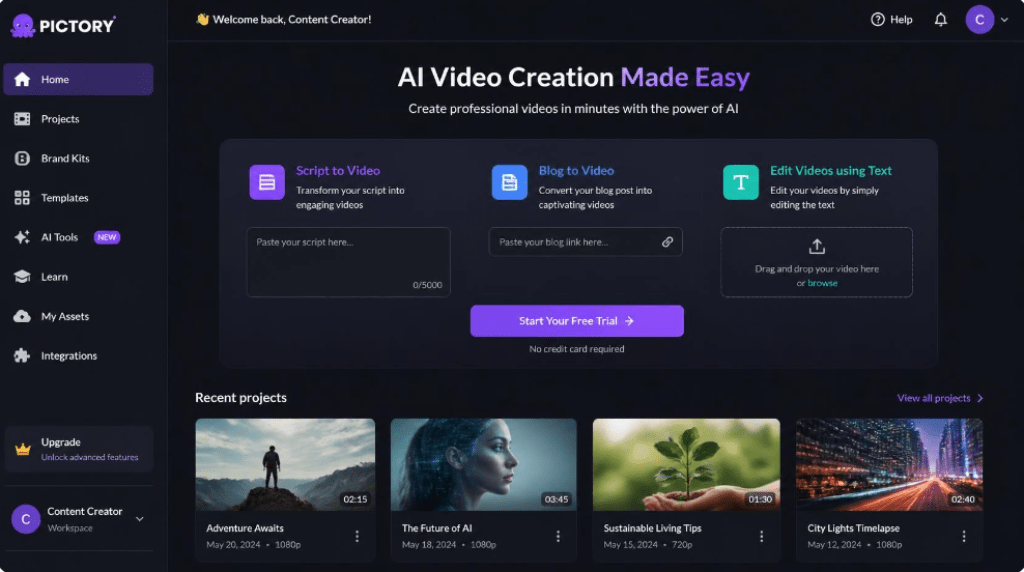
Pictory is a browser-based AI video platform built around one core idea: you shouldn’t need editing skills to turn text into video. Instead of dragging clips onto a timeline, you feed Pictory a script, a blog post, or a long-form recording, and its AI matches scenes, stock footage, captions, and voiceover automatically. You then fine-tune the result in a simplified, text-based editor rather than a traditional timeline.
Who It’s Actually Built For
In my testing, Pictory made the most sense for three types of users: marketers repurposing blog content into social video, YouTubers producing “faceless” explainer or listicle channels, and course creators or coaches who need fast, decent-looking video without hiring an editor. If you’re a professional filmmaker who lives inside a real timeline editor, Pictory will feel restrictive — and that’s by design.
How the Workflow Actually Works
Every project starts from one of four entry points: a script you write, a blog URL you paste in, a long video you want shortened, or a template you customize. Pictory’s AI reads the text, breaks it into scenes, and suggests matching stock visuals from its library. From there you swap images, adjust pacing, add branding, and export.
Key Features I Actually Tested
Blog-to-Video Conversion
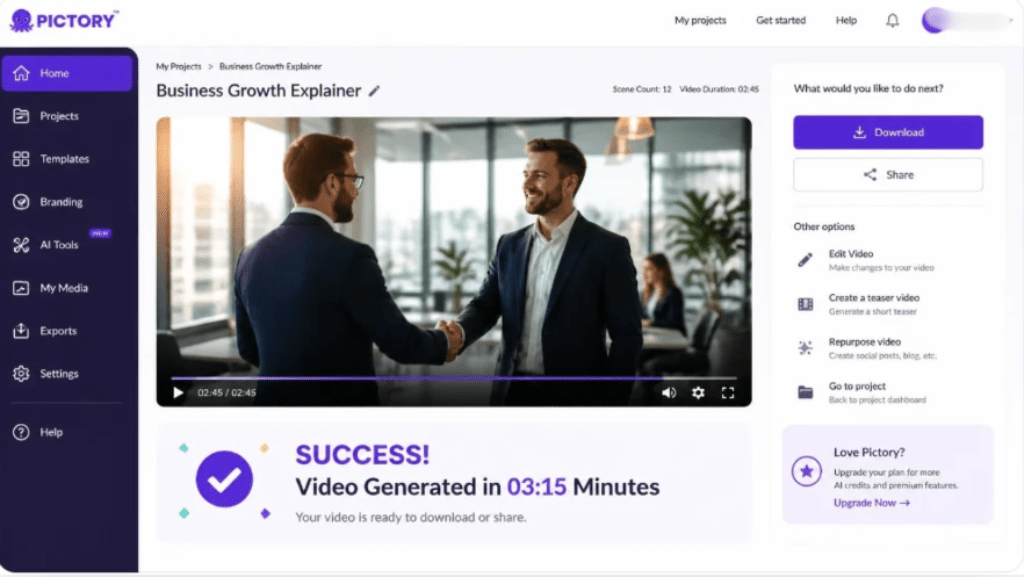
This is Pictory’s signature feature, and it’s genuinely useful. I pasted in a published blog URL, and within a couple of minutes Pictory generated a full storyboard with matching stock clips, on-screen text, and a voiceover script pulled straight from the article. It wasn’t publish-ready out of the box, but it saved me the hour I’d normally spend building a first draft from scratch.
Script-to-Video Generation
Writing a script and letting Pictory visualize it scene-by-scene worked more predictably than the blog import. Because I controlled the exact wording, the AI’s scene-matching was noticeably more accurate, and I spent less time swapping out irrelevant stock clips.
AI Voiceovers and Auto-Captions
The text-to-speech voices have improved a lot from the earlier flat, robotic tone I remember from a couple of years ago — several now sound close to a real narrator, though a couple of the emotional ones still slip into an odd cadence on longer sentences. Auto-captioning was fast and accurate enough that I only had to correct a handful of words per video.
Stock Media Library and Text-Based Editing
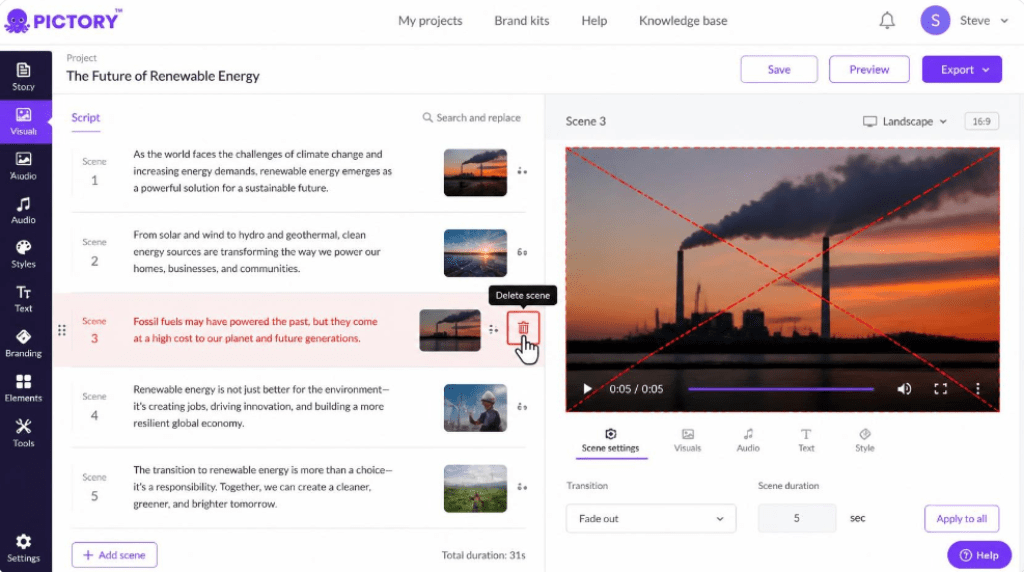
Pictory pulls from a large library of stock video and images, which covers generic business, lifestyle, and tech footage well but can feel repetitive if you produce a lot of content in a narrow niche. The text-based editor — where deleting a sentence deletes the matching video clip — is the single biggest time-saver in the whole platform.
Pictory AI Pricing: What You Actually Pay
Pictory doesn’t offer a permanent free plan, but most sign-ups start with a short free trial (typically limited to a few short, watermarked projects) so you can test the workflow before paying. Paid pricing is tiered by export minutes, storage, and collaboration features rather than by individual add-ons.
| Plan | Monthly Price* | Best For |
| Starter | ~$19–20/mo | Solo creators just starting with text-to-video |
| Professional | ~$39–40/mo | Marketers who need more AI voices, storage, and export minutes |
| Teams | ~$99/mo | Small teams collaborating on branded video content |
| Enterprise | Custom quote | Agencies and large companies needing custom onboarding & support |
*Pricing changes periodically and often differs between monthly and annual billing — always confirm current numbers on Pictory’s official pricing page before purchasing.
Pros and Cons After Hands-On Testing
- Genuinely fast turnaround — a rough video from a blog post in minutes, not hours
- Text-based editing is intuitive even for people who’ve never touched a timeline
- Auto-captions and AI voiceovers are accurate enough to use with light editing
- No steep learning curve — most first-time users are productive within a day
- Stock footage can feel generic if you publish frequently in a narrow topic
- Less creative control than a full timeline editor like Premiere or Descript
- Some AI-matched scenes still need manual correction for accuracy
- Higher tiers add up quickly for teams that need heavy monthly output
Pictory AI vs. Competitors: How It Stacks Up
Compared with Descript, Pictory is faster for pure text-to-video but offers less granular audio editing. Compared with Synthesia, Pictory leans on stock footage rather than AI avatars, which suits repurposing content but not corporate training videos with a virtual presenter. Compared with Runway, Pictory is far simpler and cheaper, but Runway pulls ahead for advanced generative editing and effects. If your priority is speed and repurposing existing content, Pictory is hard to beat; if you need frame-level creative control, it isn’t the right tool.
Is Pictory AI Worth It in 2026?
Based on my testing, Pictory earns its price for a specific kind of user: someone who already produces written content and wants to repurpose it into video without hiring an editor or learning a traditional editing suite. It won’t replace a skilled video editor on a complex project, and the stock library ceiling is real. But for consistent, fast, good-enough video production, it’s one of the more reliable AI tools I’ve tested this year.
Final Verdict
Pictory AI does what it promises: it turns text into a watchable video fast, with far less friction than learning traditional editing software. It’s not a Hollywood-grade tool, and it was never meant to be. If your goal is consistent content output — blog posts turned into YouTube videos, webinars turned into clips, scripts turned into ads — Pictory is one of the smartest shortcuts available right now.
Disclosure: This review reflects independent, hands-on testing. Pricing and features may change — always verify current details on Pictory’s official website before subscribing.
RECENT POST:
Top Newsletter Platforms 2026: The Best Tools for Creators and Businesses
Zapier vs Make (Integromat) in 2026: Which Automation Tool Actually Saves Solopreneurs More Time?
Beehiiv Review: An Analytical Breakdown of the Newsletter Platform Built for Growth (2026)