
Table of Contents
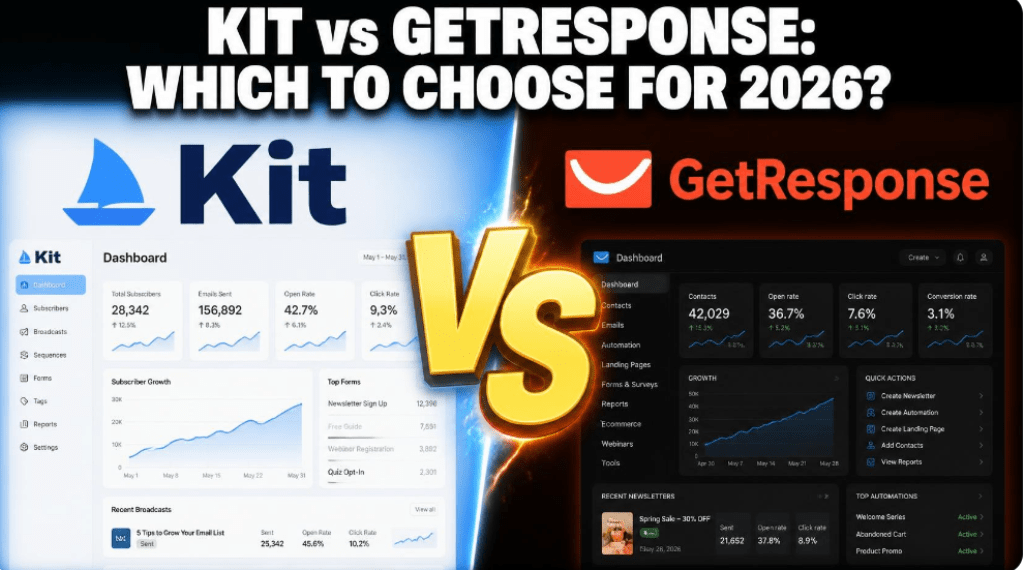
If you have narrowed your email marketing search down to two names, chances are you are stuck comparing Kit vs GetResponse, and for good reason. Both platforms are mature, well-funded, and genuinely capable — but they were built for two different jobs.
Kit (formerly ConvertKit) was engineered from day one for independent creators, newsletter writers, and course sellers who live and breathe content. GetResponse grew out of a broader marketing automation background and now positions itself as an all-in-one suite for businesses that need email, webinars, ecommerce automation, and lead generation under one roof.
After running both platforms through real campaigns, migrating live subscriber lists, and stress-testing their automation builders, this review breaks down exactly where each product wins, where it falls short, and which one deserves your budget in 2026.
Kit vs GetResponse: Quick Verdict at a Glance
Before diving into the details, here is the short answer most readers are searching for. Kit wins for solo creators, newsletter operators, and digital product sellers who value simplicity and a generous free plan. GetResponse wins for businesses that need webinars, ecommerce automation, or a true all-in-one marketing stack beyond email.
| Criteria | Kit (ConvertKit) | GetResponse |
| Best for | Solo creators, newsletters, course sellers | SMBs, ecommerce, webinar hosts |
| Free plan | Up to 10,000 subscribers | Up to 500 contacts |
| Entry paid plan | $39/mo (Creator, 1,000 subs) | $19/mo (Starter, 1,000 contacts) |
| Automation builder | Visual, creator-focused | Visual, enterprise-grade |
| Webinars built-in | No | Yes (Creator plan and up) |
| Ease of use | Very high | Moderate, steeper learning curve |
| Ecommerce depth | Kit Commerce (digital products) | Full ecommerce automation suite |
What Is Kit (ConvertKit)? Overview for Content Creators
Kit — rebranded from ConvertKit in 2024 — is an email marketing platform built specifically for people who create content for a living: bloggers, podcasters, YouTubers, newsletter writers, and independent course creators. The product philosophy is unmistakable the moment you log in. Instead of drowning you in generic marketing dashboards, Kit organizes everything around subscribers, tags, and sequences, which mirrors how a creator actually thinks about their audience.
Kit’s biggest strength is that it removes friction. Landing pages, forms, automations, and paid newsletters are all native features, and the visual automation builder is one of the most intuitive in the industry. The trade-off is scope: Kit deliberately avoids becoming a bloated all-in-one suite, so you will not find native webinar hosting or advanced CRM-style deal pipelines here.
KIT REVIEW 2026: The Complete Guide to Kit (formerly ConvertKit) for Content Creators
What Is GetResponse? Overview for Marketers and Online Sellers
GetResponse has been in the email marketing space since 1998 and has evolved into a full marketing suite that bundles email, automation, landing pages, webinars, a website builder, and ecommerce tools into a single subscription. It is a natural fit for small and medium businesses, agencies, and course creators who want one login instead of five separate tools stitched together with Zapier.
The flip side of that breadth is complexity. New users often describe GetResponse’s interface as powerful but dense, and getting the most out of the platform typically takes longer than it does with Kit. If your priority is raw feature count per dollar, GetResponse usually wins; if your priority is speed to launch, Kit usually wins.
GetResponse vs Mailchimp: Which One Actually Fits Your Business?
GetResponse Review 2026: Is It Really Worth It for Beginners?
Kit vs GetResponse Pricing Comparison: Which Platform Offers Better Value in 2026
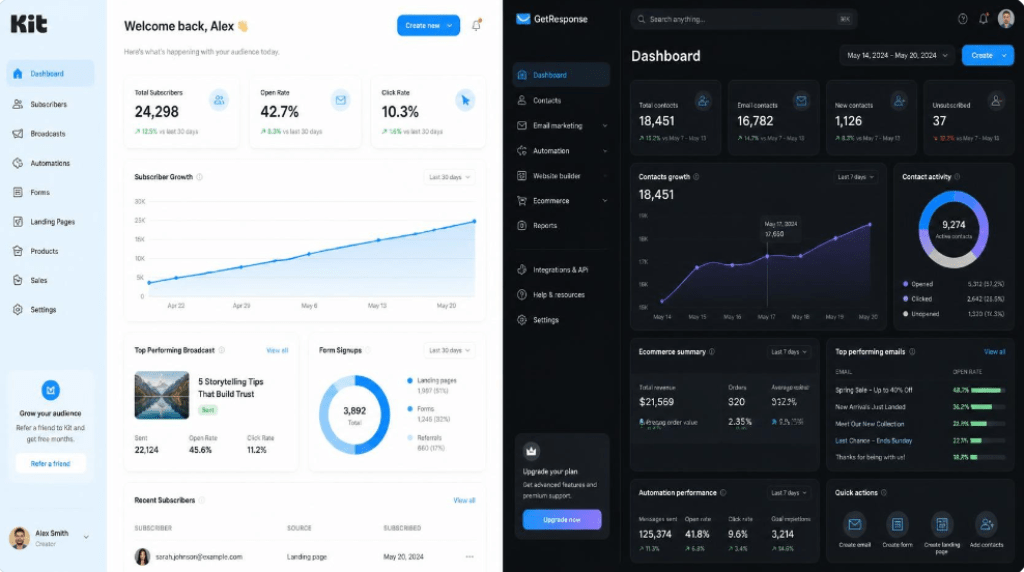
Pricing is where most buying decisions are actually made, and it is also where the two platforms diverge the most structurally. Kit bills purely on subscriber count regardless of email volume. GetResponse bills on a mix of contact count and feature tier, which means the plan you need depends as much on which features you want as on how many people are on your list.
Kit Pricing Breakdown: Free, Creator, Creator Pro
- Newsletter (Free): Up to 10,000 subscribers, unlimited landing pages, one automated sequence — the most generous free tier of any major email platform.
- Creator: From $39/month (1,000 subscribers, or roughly $33/month billed annually) — unlocks unlimited automations, integrations, and free migration support.
- Creator Pro: From $79/month (1,000 subscribers, or roughly $66/month billed annually) — adds advanced reporting, subscriber scoring, a newsletter referral system, and Facebook custom audiences.
Note that Kit’s paid tiers increase fairly steeply as your list grows — the Creator plan roughly doubles in price between 1,000 and 5,000 subscribers — so it pays to project your list growth for the next 12 months before committing to annual billing.
GetResponse Pricing Breakdown: Free, Starter, Marketer, Creator, Enterprise
- Free: Up to 500 contacts, basic automation, and a website builder — useful for testing, but the most restrictive free tier of the two platforms.
- Starter: From $19/month (1,000 contacts, or about $15.58/month billed annually) — unlimited emails but limited to one automation workflow.
- Marketer: From roughly $54–59/month (1,000 contacts) — unlocks unlimited automation workflows, cart-abandonment tools, and revenue analytics.
- Creator: From roughly $58–69/month (1,000 contacts) — adds webinar hosting, an online course builder, and a mobile learning app.
- Enterprise (MAX): Custom pricing for large lists and dedicated infrastructure.
Hidden Costs and Fine Print to Watch
Two details tend to surprise buyers after they sign up. First, Kit’s Creator plan only includes one automation workflow before you need to upgrade to unlock unlimited automations — read the plan comparison carefully rather than assuming feature parity across tiers. Second, GetResponse’s annual plans are typically non-refundable, so it is worth testing on monthly billing for two to three months before locking in the annual discount.
READY TO SEE THE NUMBERS FOR YOUR OWN LIST SIZE?
Both platforms offer a free trial or free plan — compare your actual monthly cost before you commit.
Email Marketing Automation Features: Kit vs GetResponse
Visual Automation Builder Comparison
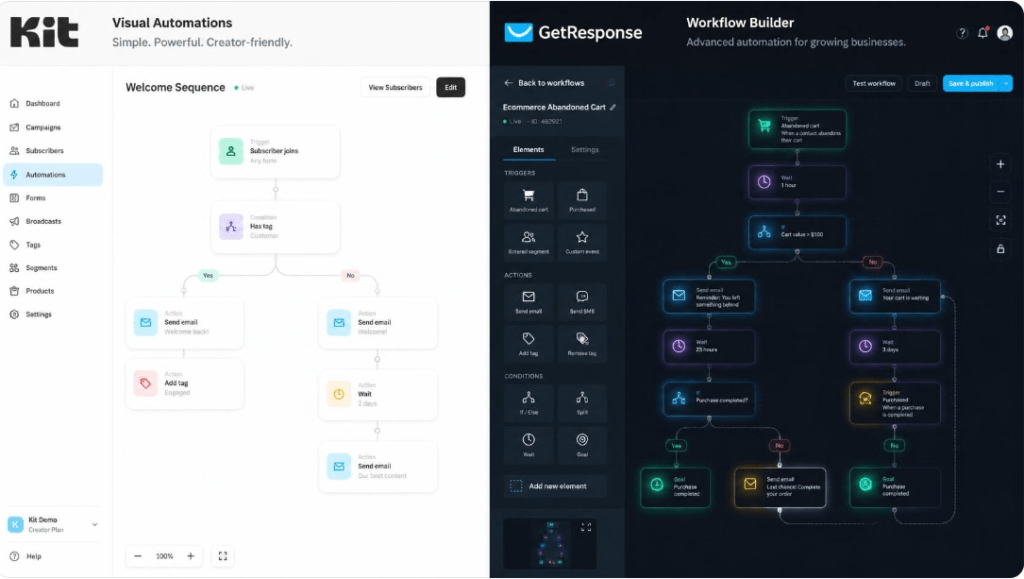
Kit’s visual automation builder uses a simple flowchart of triggers, conditions, and actions that even non-technical creators can build in minutes. It is opinionated by design — you will not find dozens of trigger types, but what is there works reliably and integrates cleanly with tagging.
GetResponse’s automation builder is noticeably deeper. It supports ecommerce-specific triggers such as cart abandonment and product viewed, conditional branching, scoring, and time-based delays that rival dedicated marketing automation platforms. The trade-off is a steeper learning curve — expect to spend real time in tutorials before your first complex workflow goes live.
Segmentation and Tagging Capabilities
Kit uses a tag-and-segment model that is arguably its most beloved feature among creators — tagging a subscriber based on a link click or purchase is fast and visual. GetResponse offers comparable segmentation depth plus lead scoring, which matters more for B2B and sales-driven teams than for solo creators.
Landing Pages, Forms, and Website Builder Comparison
Both platforms include unlimited landing pages and signup forms on their paid tiers, and both offer reasonably modern, mobile-responsive templates. Kit’s landing page editor is faster to use for a single opt-in page or a simple sales page. GetResponse goes further with a full website builder, meaning you could technically run an entire small-business site — not just landing pages — without leaving the platform.
E-commerce and Digital Product Monetization Features
Kit Commerce for Creators
Kit Commerce lets creators sell digital products, paid newsletters, and subscriptions directly to their list with no separate storefront required. It is built for the creator economy specifically — think ebooks, templates, and paid communities — rather than physical inventory.
GetResponse Ecommerce Marketing Tools
GetResponse’s ecommerce toolkit is built for online stores with real inventory. Abandoned cart recovery, product recommendation blocks, promo code automation, and integrations with Shopify and WooCommerce make it the stronger option for anyone running a physical or hybrid ecommerce business rather than a pure content business.
Webinar Hosting and Course Creation Tools Compared
This is one of the clearest differentiators in the entire comparison. Kit has no native webinar functionality — you will need a third-party tool such as Zoom or Demio and connect it via integration. GetResponse, on the higher Creator and Enterprise tiers, includes built-in webinar hosting with attendee limits scaling by plan, plus a course builder with a mobile learning app for delivering paid content.
If webinars or live-cohort courses are central to your business model, this single feature can make the pricing conversation moot — GetResponse’s all-in-one approach may cost less than paying for Kit plus a separate webinar tool.

Deliverability, Support, and Ease of Use
Independent deliverability audits generally place both platforms in a comparable, solid range for inbox placement, though results vary by sending reputation and list hygiene rather than platform alone. On support, GetResponse offers 24/7 live chat across its paid plans, which is a meaningful advantage for users in different time zones. Kit’s support is fast during business hours but does not match GetResponse’s round-the-clock coverage.
On ease of use, the gap favors Kit clearly. Most creators can launch their first sequence within an afternoon. GetResponse’s larger feature surface means a genuine onboarding investment — worthwhile if you will use the extra tools, wasted if you will not.
Kit vs GetResponse: Which Platform Should You Choose?
Choose Kit If You Are a Solo Creator or Newsletter Writer
- You write a newsletter, sell digital products, or run a course as an individual creator.
- You want to be sending your first automated sequence within hours, not weeks.
- You need a genuinely free plan that scales to 10,000 subscribers before you pay a cent.
Choose GetResponse If You Run an Online Business With Webinars or Ecommerce
- You need webinars, an online course platform, or a website builder bundled with email.
- You run an online store and need cart-abandonment and product-recommendation automation.
- You would rather pay for one all-in-one subscription than stitch together several point tools.
Frequently Asked Questions About Kit and GetResponse
Is Kit or GetResponse better for beginners? Kit is generally faster to learn, thanks to its narrower, creator-focused feature set and simpler interface.
Which platform is cheaper for a 5,000-subscriber list? At that size, GetResponse’s Starter plan is often less expensive than Kit’s Creator plan, but Kit includes unlimited automations at that tier while GetResponse’s Starter plan does not — compare feature access, not just the sticker price.
Can I migrate my list from one platform to the other? Yes. Both Kit and GetResponse offer free, assisted migration for new customers moving an existing subscriber list and automation history.
Does either platform support ecommerce stores natively? GetResponse has deeper native ecommerce automation for physical-product stores; Kit Commerce is focused on digital products and paid content rather than inventory-based selling.
Final Verdict: Kit vs GetResponse
There is no universal winner in the Kit vs GetResponse debate — only the platform that matches your business model. If your revenue comes from your own content, your own voice, and your own digital products, Kit’s simplicity and generous free tier make it very hard to beat. If your business depends on webinars, an online store, or a broader marketing stack that goes beyond email, GetResponse’s all-in-one depth justifies its steeper learning curve. Whichever direction you lean, start on the free plan or trial, migrate a small test segment of your list first, and validate deliverability and workflow fit before you move your entire audience over.
STILL DECIDING BETWEEN KIT AND GETRESPONSE?
Disclosure: Pricing and feature details reflect publicly available plan information as of mid-2026 and may change. Always verify current rates on each provider’s official pricing page before purchasing.